最近几年来,地理信息系统无论是在理论上还是应用上都处在一个飞速发展的阶段。 GIS被应用于多个领域的建模和决策支持,如城市管理、区划、环境整治等等,地理信息成为信息时代重要的组成部分之一; “数字地球”概念的提出,更进一步推动了作为其技术支撑的GIS的发展。 与此同时,一些学者致力于相关的理论研究,如空间感知、空间数据误差、空间关系的形式化等等。 这恰好说明了地理信息系统作为应用技术和学科的两个方面,并且这两个方面构成了相互促进的发展过程。
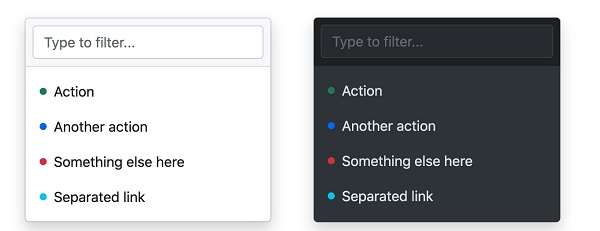
The drop-down menu is switchable and is a context menu that displays links in a list format. We can use a button or link to open the drop-down menu, which needs to be added If you want to disable the drop-down menu, you can use the If we want to align the drop-down menu to the right, we can use the The pop-up direction of the drop-down menu is down by default, but we can also set different directions. If you want the drop-down menu to pop up to the lower right, you can use the Example If you want to pull up the dish and pop it up in one way, you can use the Example If you want the drop-down menu to pop up, you can click Example We can add a drop-down menu to the button: Vertical button group with drop-down menu: 7.19.1. Example 
<div class="dropdown"> <button type="button" class="btn btn-primary dropdown-toggle" data-bs-toggle="dropdown"> Light colored cards button> <div class="dropdown-menu"> <a class="dropdown-item" href="#">link 1a> <a class="dropdown-item" href="#">link 2a> <a class="dropdown-item" href="#">link 3a> div> div>
7.19.2. Case analysis 
.dropdown class is used to specify a drop-down menu. .dropdown-toggle and data-toggle="dropdown" property. add on the element .dropdown-menu class to set the actual drop-down menu, and then add to the options in the drop-down menu .dropdown-item class. The split line in the drop-down menu 
.dropdown-divider class is used to create a horizontal split line in the drop-down menu 7.19.3. Example 
<li><hrclass="dropdown-divider">hr>li>
The title in the drop-down menu 
.dropdown-header class is used to add a title to the drop-down menu 7.19.4. Example 
<li><h5class="dropdown-header">title 1h5>li>
Available and prohibited items in drop-down menus 
.active class highlights the options of the drop-down menu (adding a blue background). .disabled class. 7.19.5. Example 
<a class="dropdown-item" href="#">General itemsa> <a class="dropdown-item active" href="#">Activate itema> <a class="dropdown-item disabled" href="#">Disabled itemsa>
Positioning of the drop-down menu 
.dropdown add after class .dropend or .dropstart class. .dropend is right aligned. .dropstart is left aligned. 7.19.6. Example 
... ... Drop-down menu pop-up direction settin 
7.19.7. Specify the drop-down menu that pops up to the right 
div add on the element .dropdown-menu-end class:
7.19.8. Specify the pull-up menu that pops up 
div add the “dropup” class to the element:
7.19.9. Specify the drop-down menu that pops up to the left 
div add on the element dropstart class:
Add some content to test the effect of popping up to the left. Drop-down menu setting text 
.dropdown-item-text class can set text items in the drop-down menu 7.19.10. Example 
<ul class="dropdown-menu"> <li><a class="dropdown-item" href="#">link 1a>li> <li><a class="dropdown-item" href="#">link 2a>li> <li><a class="dropdown-item" href="#">link 3a>li> <li><a class="dropdown-item-text" href="#">text linka>li> <li><span class="dropdown-item-text">Just textspan>li> ul>
Set the drop-down menu in the button group 
7.19.11. Example 
<div class="btn-group"> <button type="button" class="btn btn-primary">Applebutton> <button type="button" class="btn btn-primary">Samsungbutton> <div class="btn-group"> <button type="button" class="btn btn-primary dropdown-toggle" data-bs-toggle="dropdown">Sonybutton> <ul class="dropdown-menu"> <li><a class="dropdown-item" href="#">Tableta>li> <li><a class="dropdown-item" href="#">Smartphonea>li> ul> div> div>
7.19.12. Example 
<div class="btn-group-vertical"> <button type="button" class="btn btn-primary">Applebutton> <button type="button" class="btn btn-primary">Samsungbutton> <div class="btn-group"> <button type="button" class="btn btn-primary dropdown-toggle" data-bs-toggle="dropdown">Sonybutton> <ul class="dropdown-menu"> <li><a class="dropdown-item" href="#">Tableta>li> <li><a class="dropdown-item" href="#">Smartphonea>li> ul> div> div>
Navigation bar case 
7.19.13. Example