最近几年来,地理信息系统无论是在理论上还是应用上都处在一个飞速发展的阶段。 GIS被应用于多个领域的建模和决策支持,如城市管理、区划、环境整治等等,地理信息成为信息时代重要的组成部分之一; “数字地球”概念的提出,更进一步推动了作为其技术支撑的GIS的发展。 与此同时,一些学者致力于相关的理论研究,如空间感知、空间数据误差、空间关系的形式化等等。 这恰好说明了地理信息系统作为应用技术和学科的两个方面,并且这两个方面构成了相互促进的发展过程。
Eclipse provides a good plug-in m2eclipse The plug-in integrates Maven and Eclipse
Maven is included in the latest Eclipse. We open it, Windows- > Preferences. If the following screen appears:
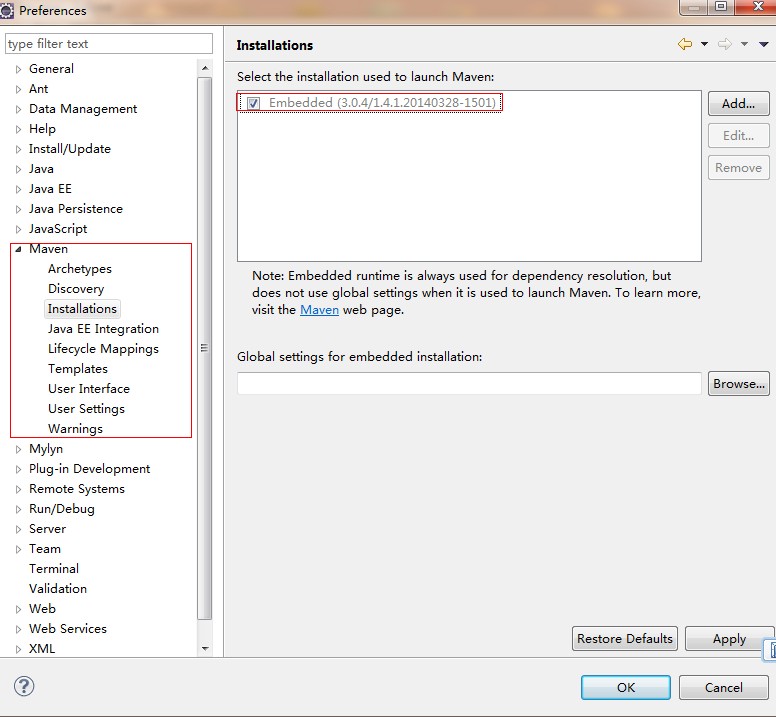
Here are some of the features of m2eclipse:
You can run the target file of Maven on the Eclipse environment.
You can use its own console to view the output of the Maven command directly in Eclipse.
You can update the dependency of Maven under IDE.
You can use Eclipse to build Maven projects.
Eclipse is based on Maven’s pom.xml to automate dependency management.
It solves the dependency between the workspace of Maven and Eclipse without the need to install to the local Maven repository (depending on the project in the same workspace).
It can automatically download the required dependencies and source code from the remote Maven library.
It provides wizards to create new Maven projects, pom.xml, and enable Maven support on existing projects.
It provides a quick search for dependencies of remote Maven repositories.
11.18.1. Import a Maven project in Eclipse 
Open Eclipse
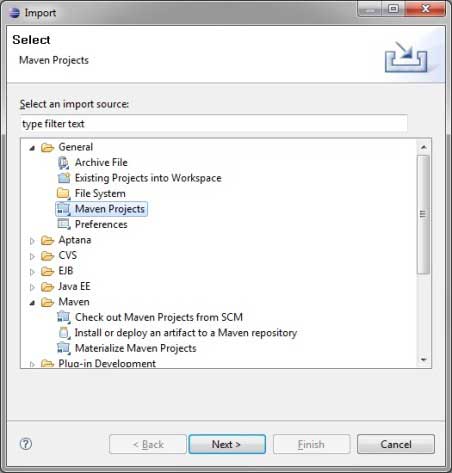
Choice File > Import > option
Select the Maven Projects option. Click the Next button.
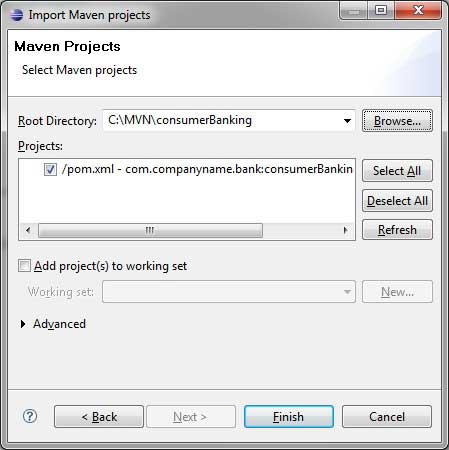
Select the path to the project, that is, the storage path when you create a project using Maven. Suppose we create a project: consumerBanking. Pass through Maven 构建 Java 项目 See how to create a project using Maven.
Click the Finish button.
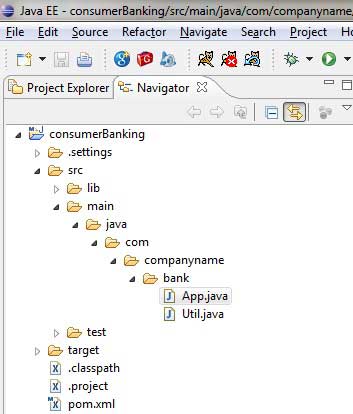
Now, you can see the Maven project in Eclipse.
Looking at the properties of the consumerBanking project, you can see that Eclipse has added everything that Maven depends on to its build path.
All right, let’s use Eclipse’s compilation capabilities to build the Maven project.
Right-click to open the context menu of the consumerBanking project
Select the Run option
Then select the maven package option
Maven starts building the project, and you can see the output log in the Eclipse console.
[INFO] Scanning for projects... [INFO] ------------------------------------------------------------------- [INFO] Building consumerBanking [INFO] [INFO] Id: com.companyname.bank:consumerBanking:jar:1.0-SNAPSHOT [INFO] task-segment: [package] [INFO] ------------------------------------------------------------------- [INFO] [resources:resources] [INFO] Using default encoding to copy filtered resources. [INFO] [compiler:compile] [INFO] Nothing to compile - all classes are up to date [INFO] [resources:testResources] [INFO] Using default encoding to copy filtered resources. [INFO] [compiler:testCompile] [INFO] Nothing to compile - all classes are up to date [INFO] [surefire:test] [INFO] Surefire report directory: C:\MVN\consumerBanking\target\surefire-reports ------------------------------------------------------- T E S T S ------------------------------------------------------- Running com.companyname.bank.AppTest Tests run: 1, Failures: 0, Errors: 0, Skipped: 0, Time elapsed: 0.047 sec Results : Tests run: 1, Failures: 0, Errors: 0, Skipped: 0 [INFO] [jar:jar] [INFO] ------------------------------------------------------------------- [INFO] BUILD SUCCESSFUL [INFO] ------------------------------------------------------------------- [INFO] Total time: 1 second [INFO] Finished at: Thu Jul 12 18:18:24 IST 2012 [INFO] Final Memory: 2M/15M [INFO] ------------------------------------------------------------------- 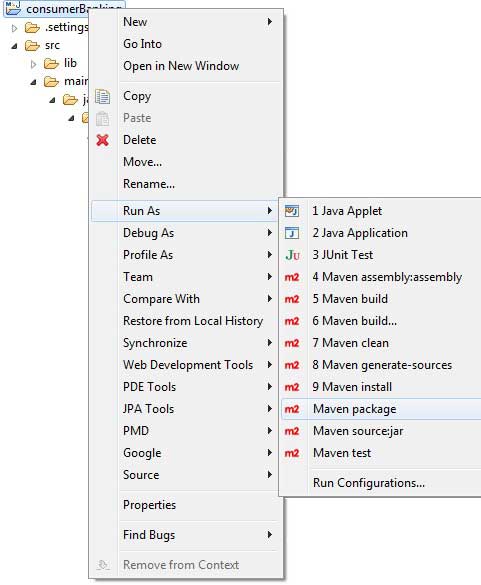
Now, right-click App.java , select Run As Options. Choice As Java App
You will see the following results:
Hello World!