最近几年来,地理信息系统无论是在理论上还是应用上都处在一个飞速发展的阶段。 GIS被应用于多个领域的建模和决策支持,如城市管理、区划、环境整治等等,地理信息成为信息时代重要的组成部分之一; “数字地球”概念的提出,更进一步推动了作为其技术支撑的GIS的发展。 与此同时,一些学者致力于相关的理论研究,如空间感知、空间数据误差、空间关系的形式化等等。 这恰好说明了地理信息系统作为应用技术和学科的两个方面,并且这两个方面构成了相互促进的发展过程。
The Django user authentication (Auth) component is generally used in the login registration of users to determine whether the current user is legitimate or not, and to jump to the login success or failure page.
The Django user Authentication (Auth) component needs to be imported into the auth module:
# 认证模块 from django.contrib import auth # 对应数据库 from django.contrib.auth.models import User The return value is the user object.
There are three ways to create user objects:
create() Create an ordinary user with a password in clear text
create_user() Create an ordinary user with a password in ciphertext
create_superuser() Create a super user whose password is in ciphertext and pass an extra mailbox email parameter.
参数:
Username: user name.
Password: password.
Email: mailbox (add an extra email for the create_superuser method).
from django.contrib.auth.models import User User.objects.create(username='runboo',password='123') 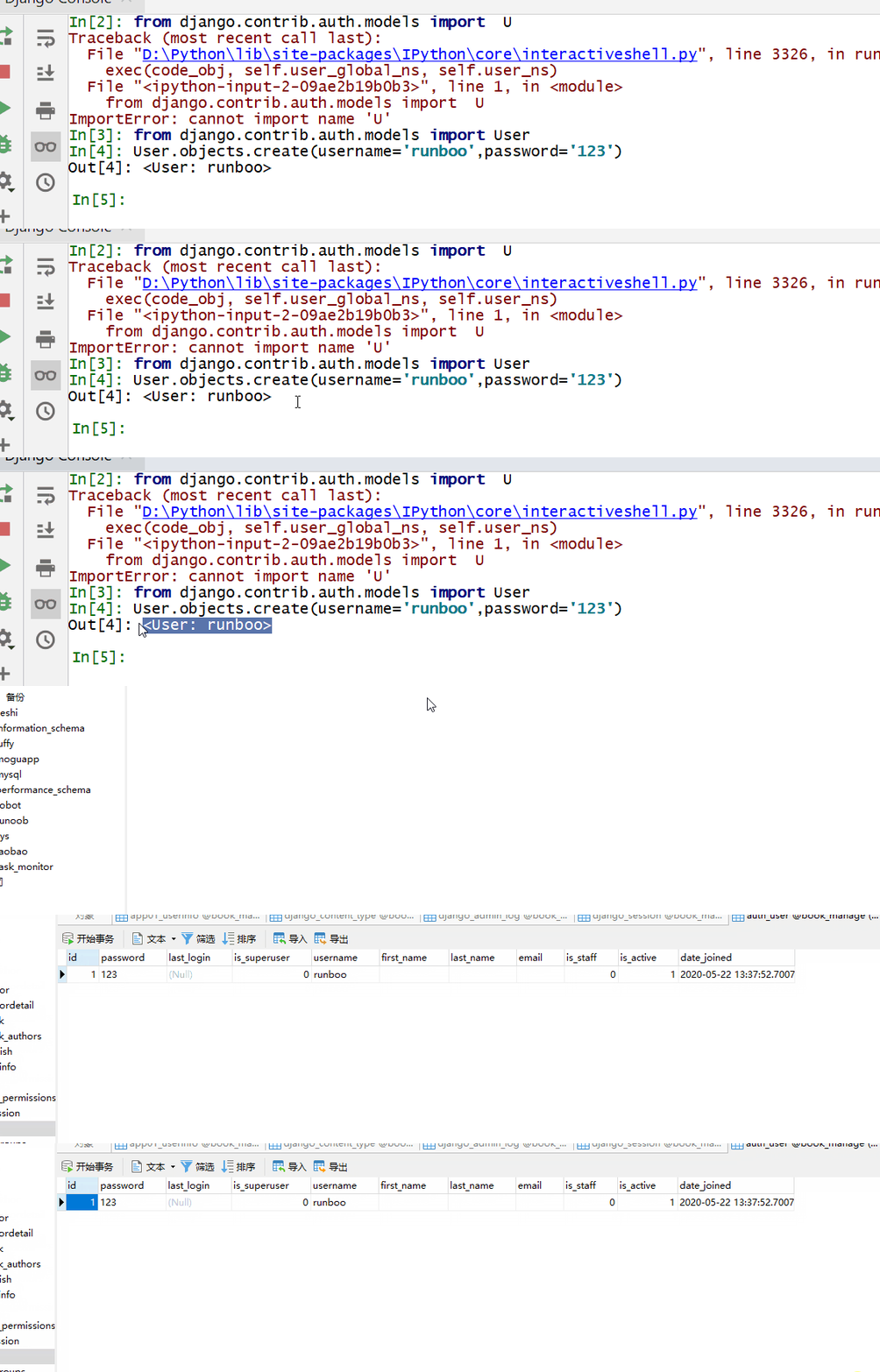
from django.contrib.auth.models import User User.objects.create_user(username='runbooo',password='123') 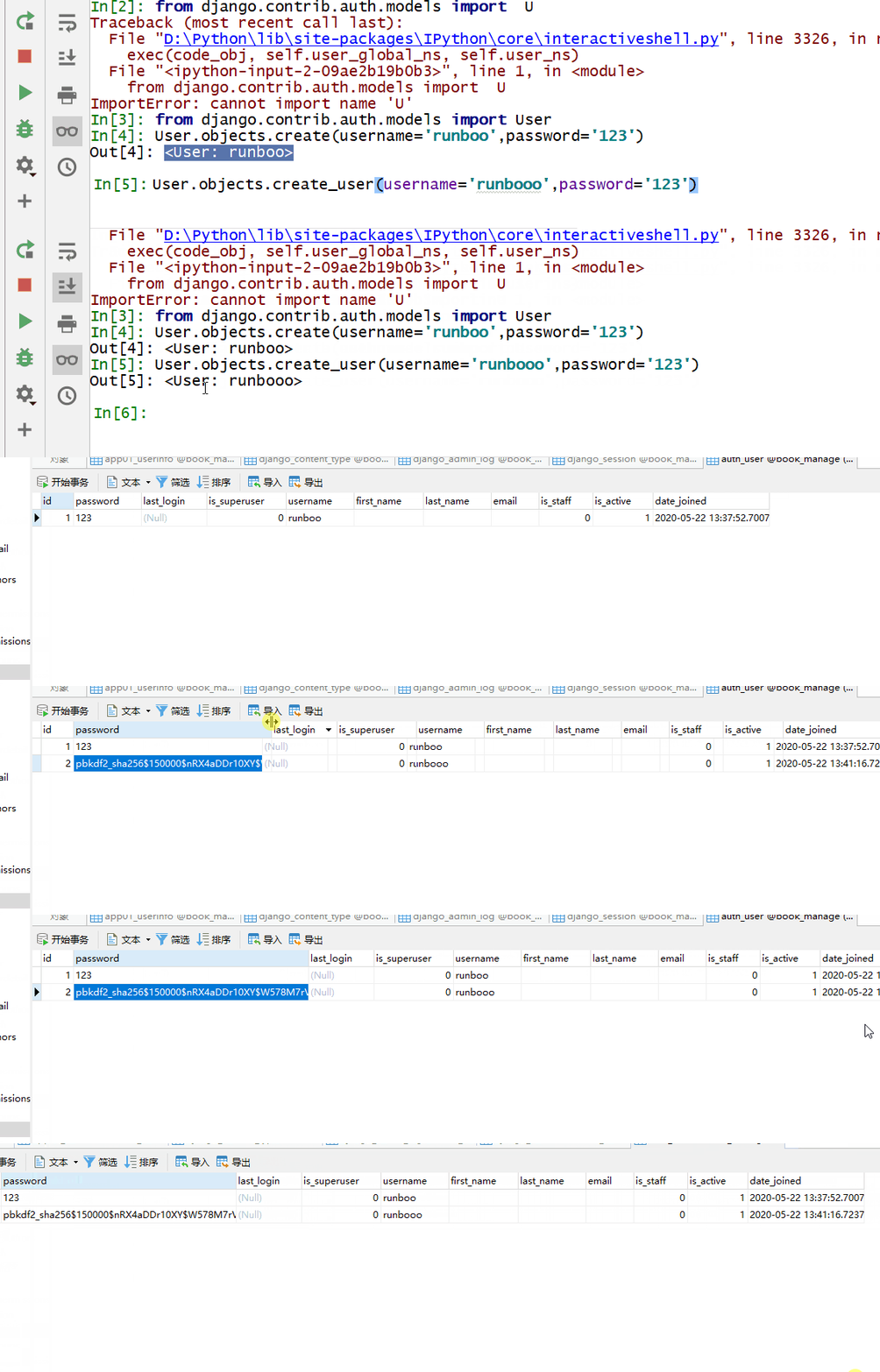
from django.contrib.auth.models import User User.objects.create_superuser(username='runboooo',password='123',email='runboo@163.com') 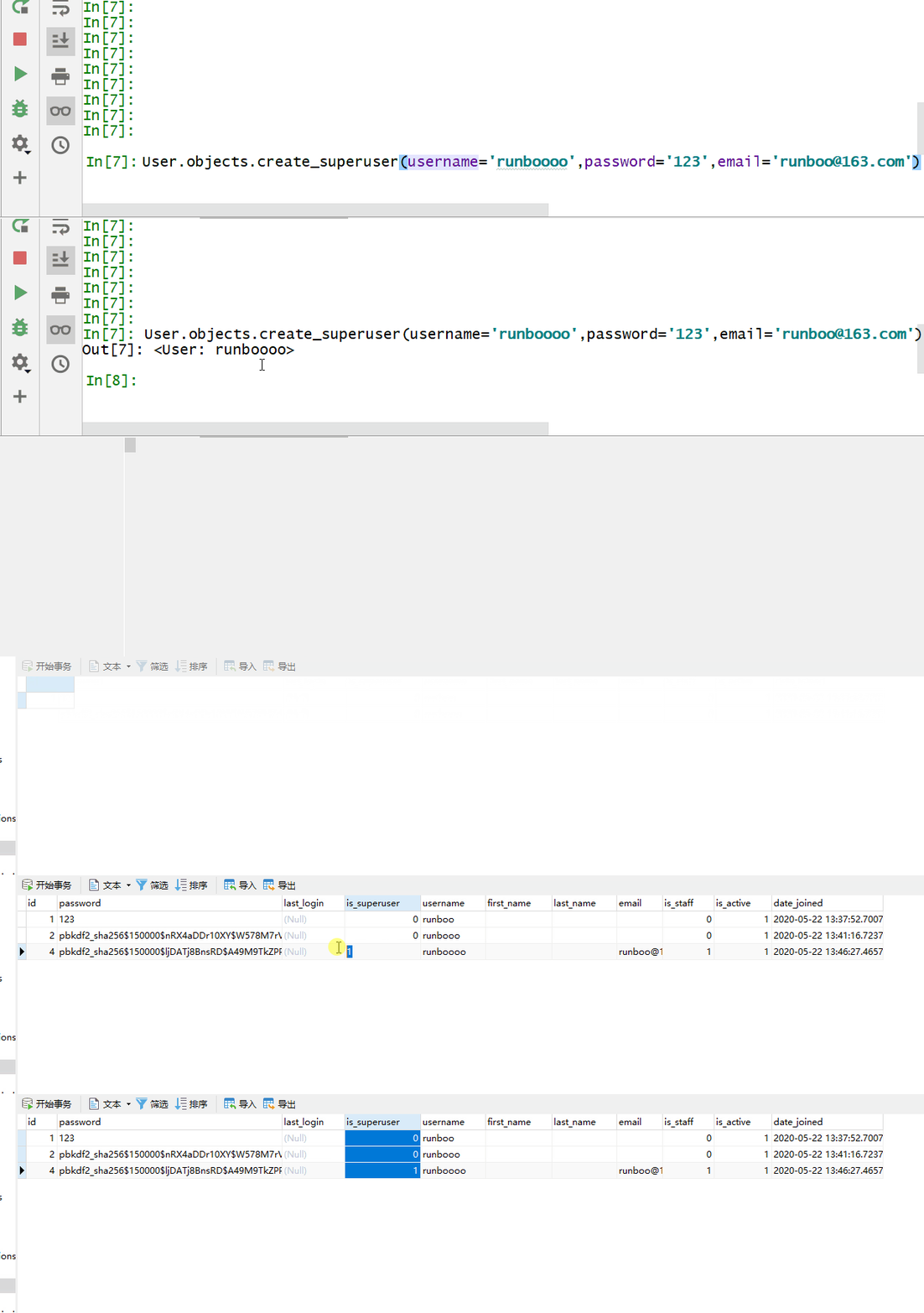
Validate the user’s user name and password using the authenticate () method to filter out the user object from the required auth_user table.
Import before use:
from django.contrib import auth Parameters:
Username: user name
Password: password
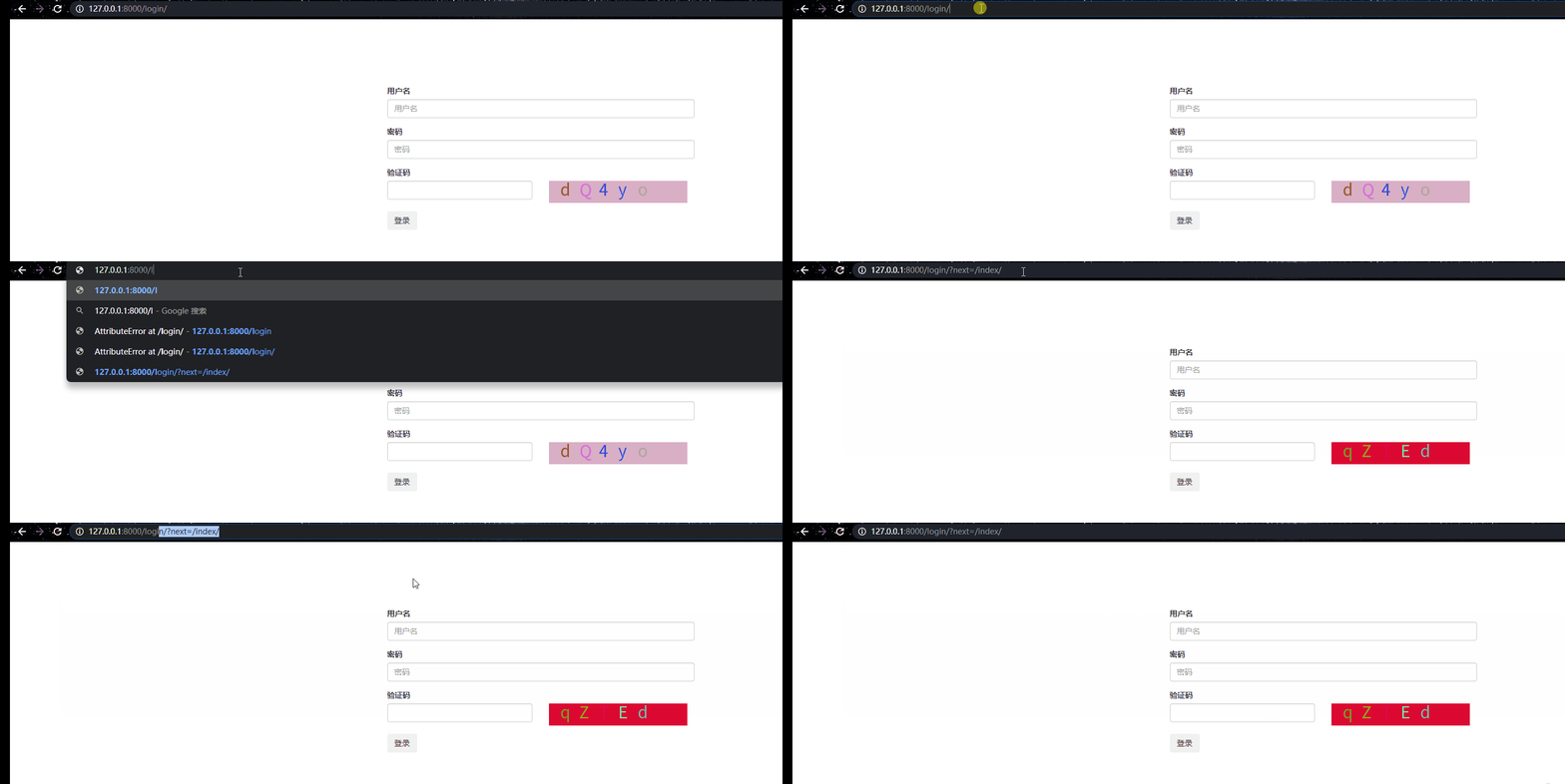
返回值: If the validation is successful, the user object is returned, otherwise, None is returned. Add session to the successful user and assign request.user to the user object. Log in using the login () method. Import before use: Parameters: Request: user object Return value: None The logout () method is used to log out the user, which needs to clear the session information and assign the request.user to an anonymous user. Import before use: Parameters: Request: user object Return value: None Set up a decorator to add a decorator to the pages that need to be accessed after a successful login. Import before use: Set which page to access from and which page to return after a successful login. 解析: Django returns the login page to the user if the user is not logged in when the user visits the page. At this point, the URL of the login page is followed by a parameter: the URL of the page visited by the next= user. Therefore, set the value of the redirected URL to the next parameter after the user has successfully logged in. However, if the user enters the login page logi,request.GET.get (“next”) at the beginning, there is no value, so add or after it, and you can set the custom returned page. 7.15.1. Example 
def login(request): if request.method == "GET": return render(request, "login.html") username = request.POST.get("username") password = request.POST.get("pwd") valid_num = request.POST.get("valid_num") keep_str = request.session.get("keep_str") if keep_str.upper() == valid_num.upper(): user_obj = auth.authenticate(username=username, password=password) print(user_obj.username)
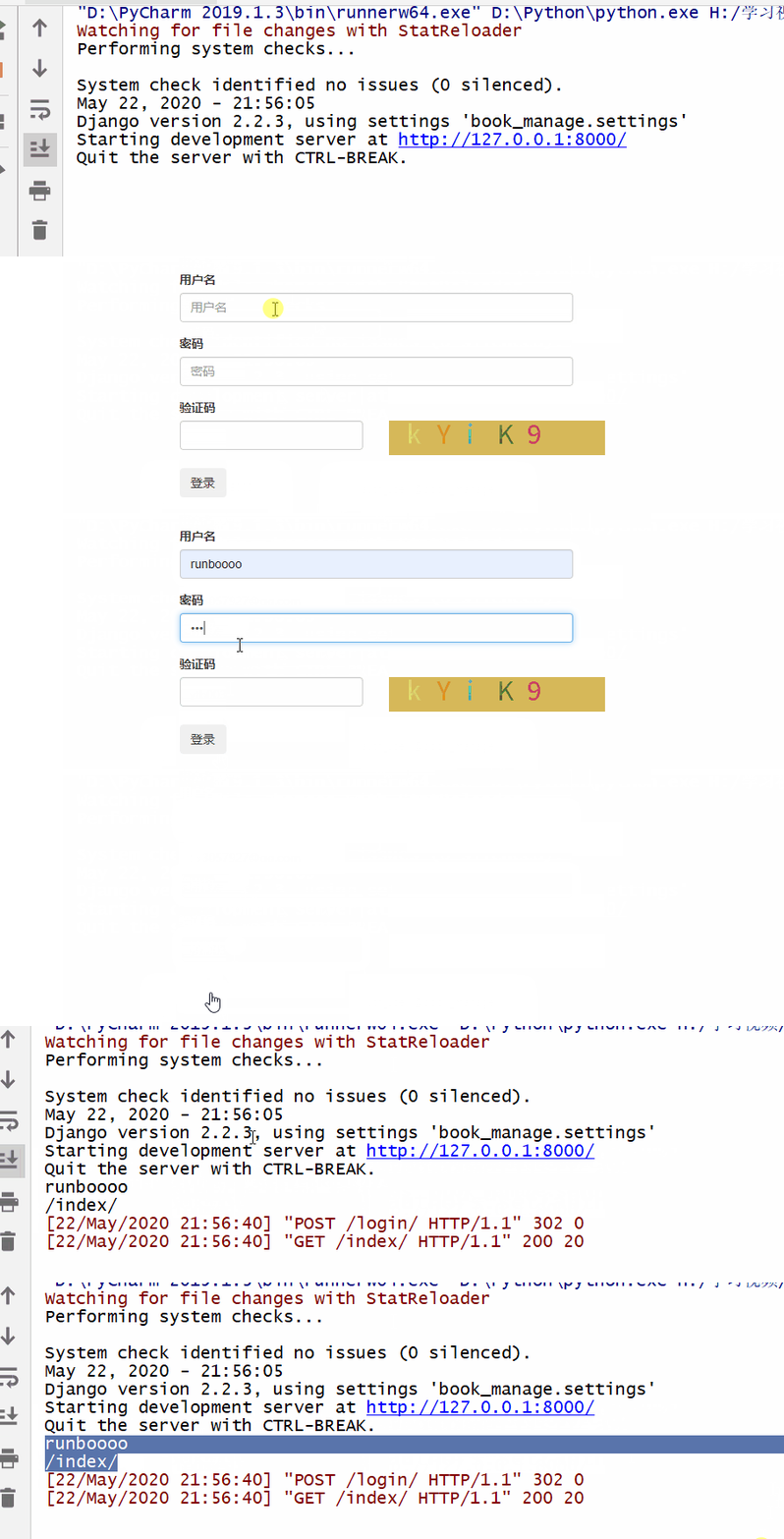
from django.contrib import auth
7.15.2. Example 
def login(request): if request.method == "GET": return render(request, "login.html") username = request.POST.get("username") password = request.POST.get("pwd") valid_num = request.POST.get("valid_num") keep_str = request.session.get("keep_str") if keep_str.upper() == valid_num.upper(): user_obj = auth.authenticate(username=username, password=password) print(user_obj.username) if not user_obj: return redirect("/login/") else: auth.login(request, user_obj) path = request.GET.get("next") or "/index/" print(path) return redirect(path) else: return redirect("/login/")
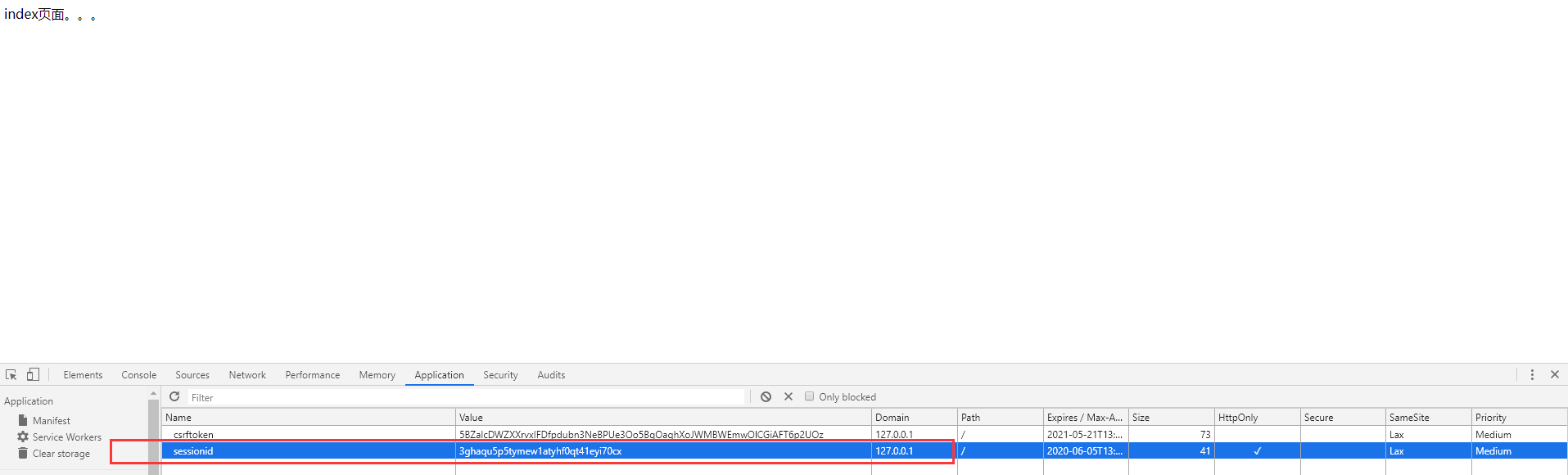
from django.contrib import auth
7.15.3. Example 
def logout(request): ppp = auth.logout(request) print(ppp) # None return redirect("/login/")
from django.contrib.auth.decorators import login_required
7.15.4. Example 
from django.contrib.auth.decorators import login_required @login_required def index(request): return HttpResponse("index页面。。。")
7.15.5. Example 
# 如果直接输入 login、get() 就取不到值,path 可以自定义设置返回的页面 path = request.GET.get("next") or "/index/" return redirect(path)