最近几年来,地理信息系统无论是在理论上还是应用上都处在一个飞速发展的阶段。 GIS被应用于多个领域的建模和决策支持,如城市管理、区划、环境整治等等,地理信息成为信息时代重要的组成部分之一; “数字地球”概念的提出,更进一步推动了作为其技术支撑的GIS的发展。 与此同时,一些学者致力于相关的理论研究,如空间感知、空间数据误差、空间关系的形式化等等。 这恰好说明了地理信息系统作为应用技术和学科的两个方面,并且这两个方面构成了相互促进的发展过程。
10.10.1. Supported HTML elements 
Tags that are not covered by Markdown can be written in HTML directly in the document.
Currently, the supported HTML elements are: The output is as follows: Markdown uses a lot of special symbols to express specific meanings, and if you need to display specific symbols, you need to use escape characters, and Markdown uses backslashes to escape special characters: The output is as follows: Markdown supports the following symbols preceded by a backslash to help insert ordinary symbols: Markdown Preview Enhanced Use KaTeX Or MathJax To render mathematical expressions. KaTeX has faster performance than MathJax, but it lacks many of the features that MathJax has. You can check KaTeX supported functions/symbols to see which symbols and functions KaTeX supports. The delimiter by default: The output is as follows:
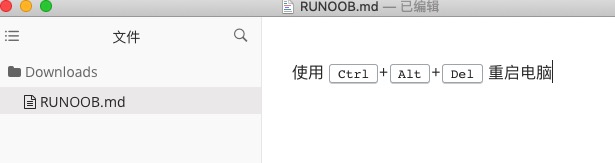
Etc., such as: 使用 <kbd>Ctrlkbd>+<kbd>Altkbd>+<kbd>Delkbd> 重启电脑
10.10.2. Transfer of meaning 
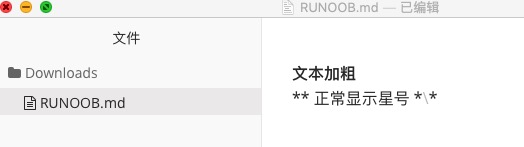
**文本加粗**
\*\* 正常显示星号 \*\*
反斜线
` 反引号
* 星号
_ 下划线
{} 花括号
[] 方括号
() 小括号
# 井字号
+ 加号
- 减号
. 英文句点
! 感叹号
10.10.3. Formula 
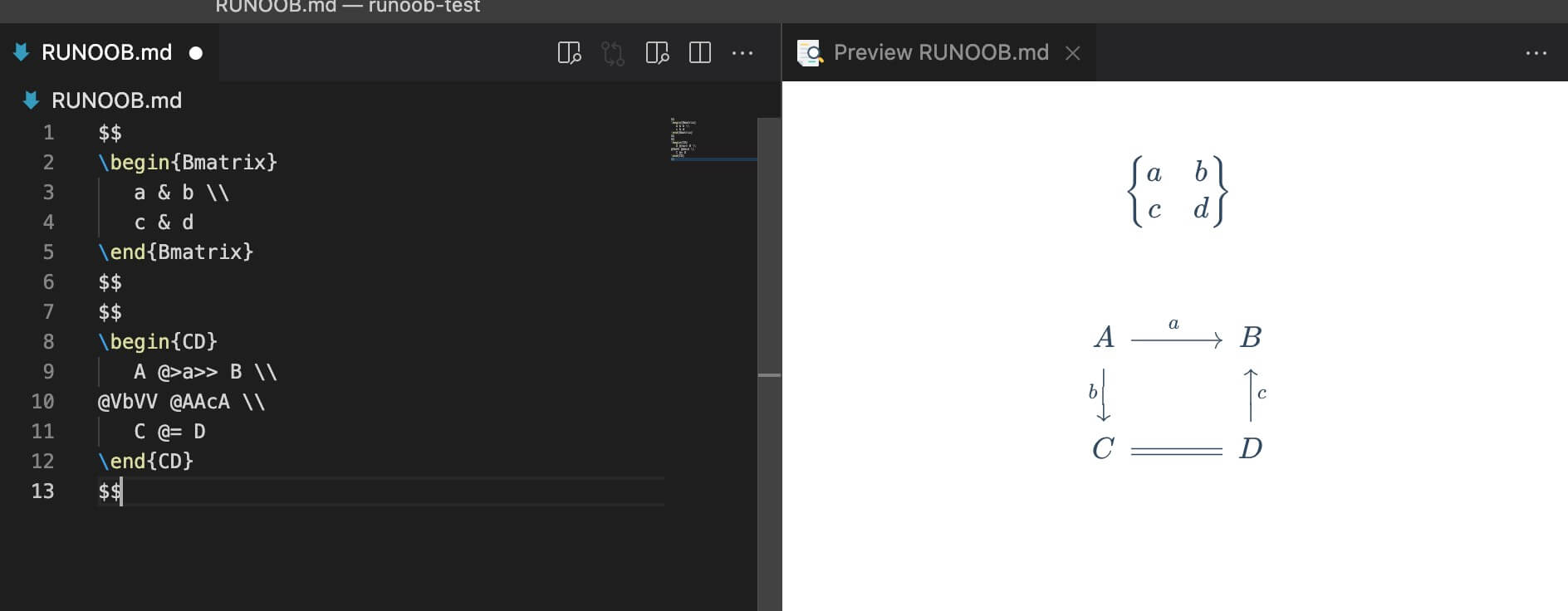
$...$ Or \(...\) The mathematical expressions in the will be displayed on the line. $$...$$ Or \[...\] Or ` The mathematical expressions in ``math will be displayed within the block. 
$$
\begin{Bmatrix}
a & b \\
c & d
\end{Bmatrix}
$$
$$
\begin{CD}
A @>a>> B \\
@VbVV @AAcA \\
C @= D
\end{CD}
$$