最近几年来,地理信息系统无论是在理论上还是应用上都处在一个飞速发展的阶段。 GIS被应用于多个领域的建模和决策支持,如城市管理、区划、环境整治等等,地理信息成为信息时代重要的组成部分之一; “数字地球”概念的提出,更进一步推动了作为其技术支撑的GIS的发展。 与此同时,一些学者致力于相关的理论研究,如空间感知、空间数据误差、空间关系的形式化等等。 这恰好说明了地理信息系统作为应用技术和学科的两个方面,并且这两个方面构成了相互促进的发展过程。

Markdown is a lightweight markup language that allows people to write documents in a plain text format that is easy to read and write.
The Markdown language was founded by John Gruber (English: John Gruber) in 2004.
Documents written by Markdown can be exported to HTML, Word, images, PDF, Epub and other formats.
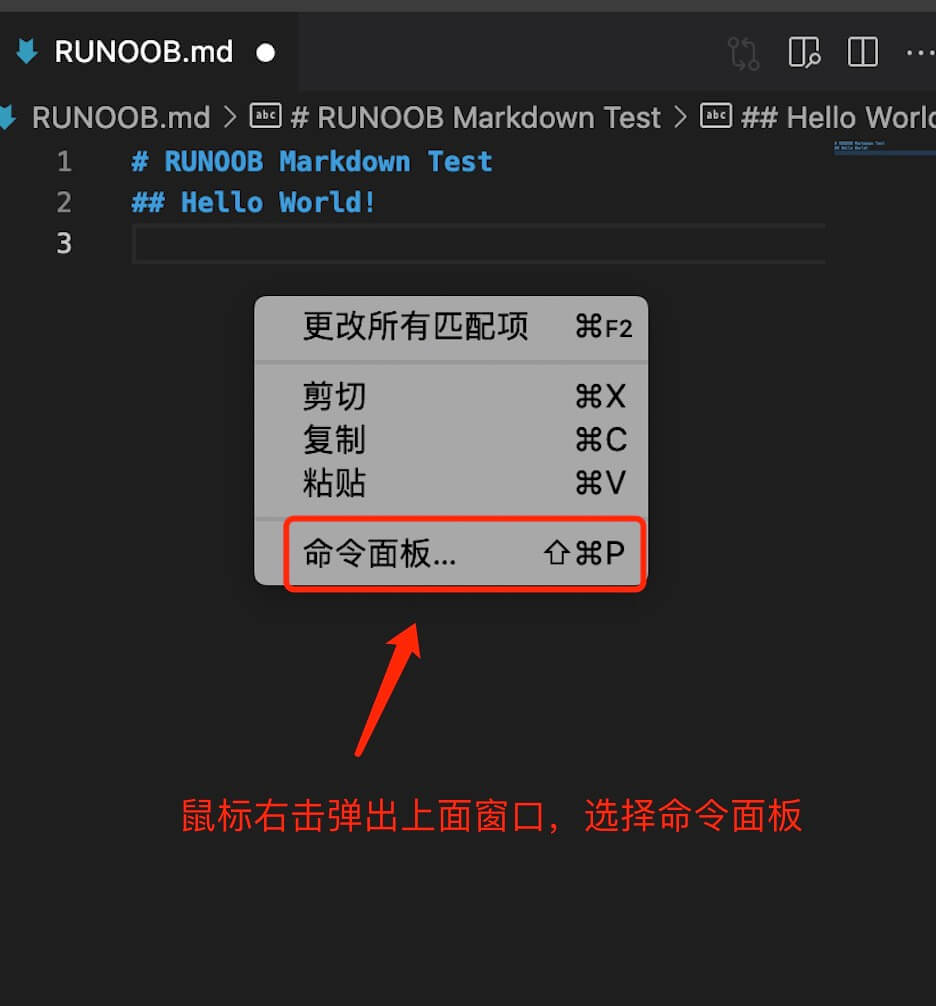
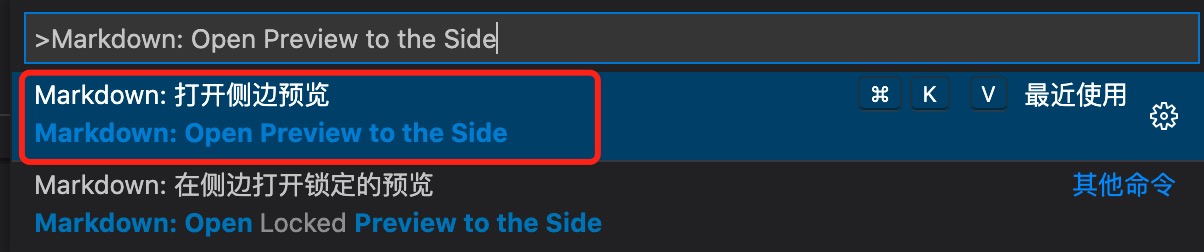
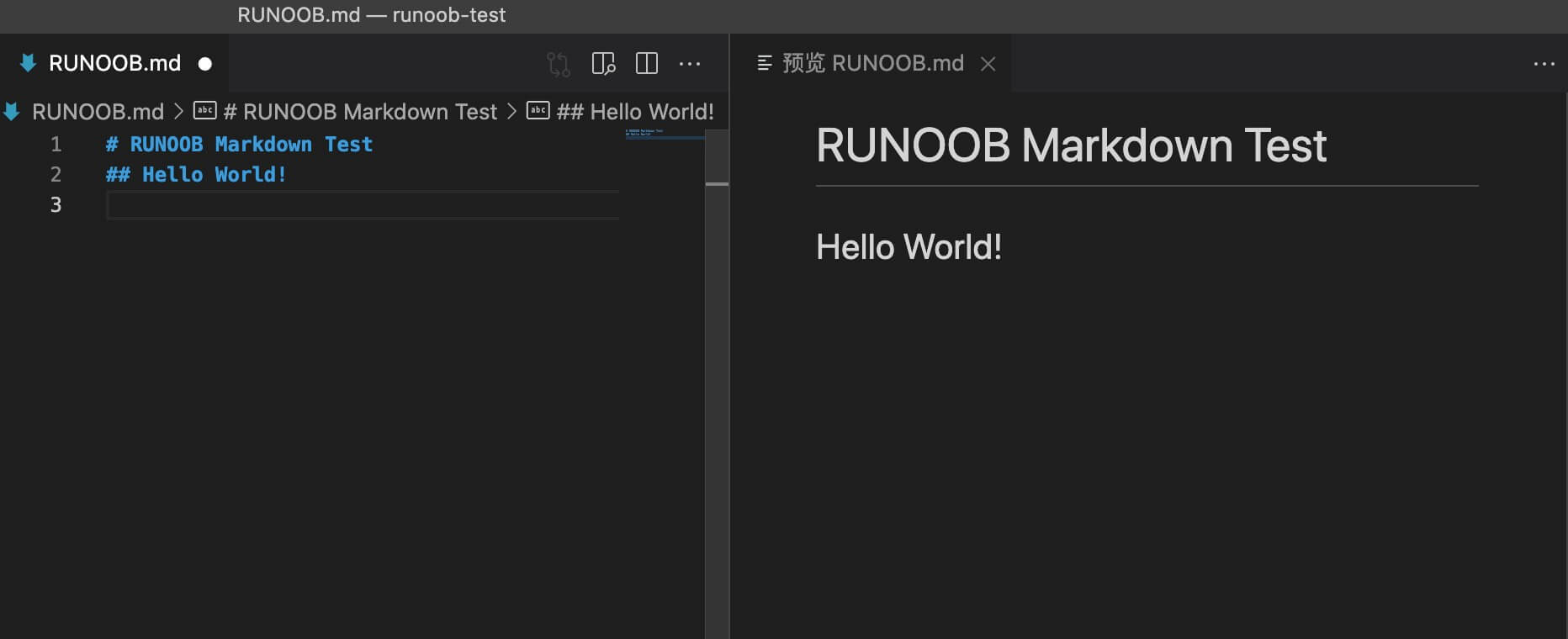
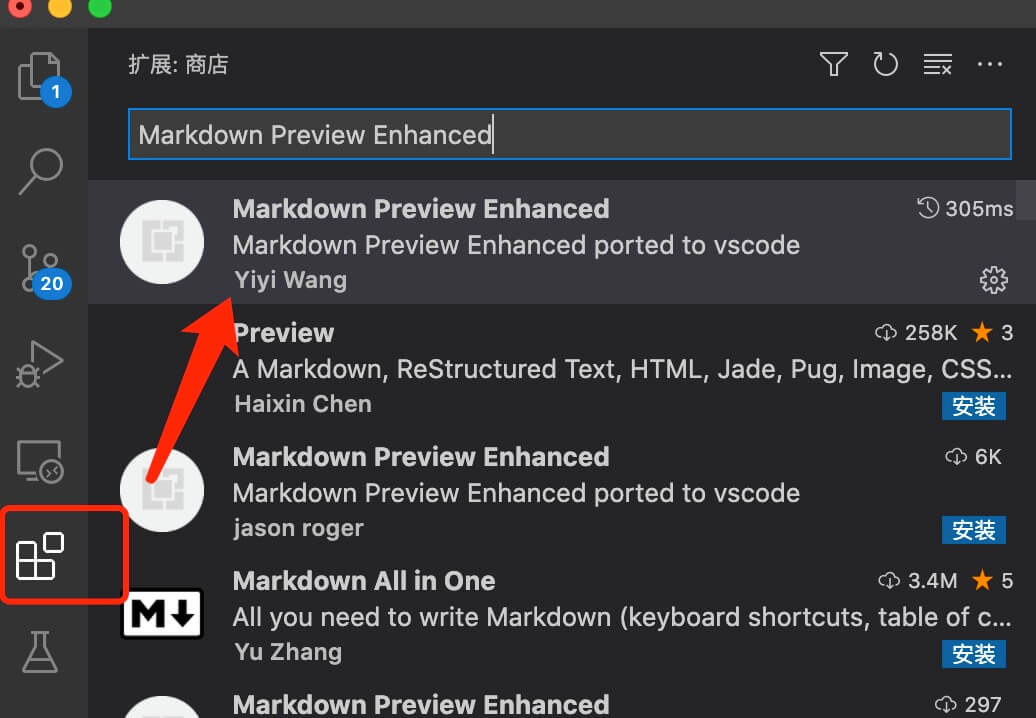
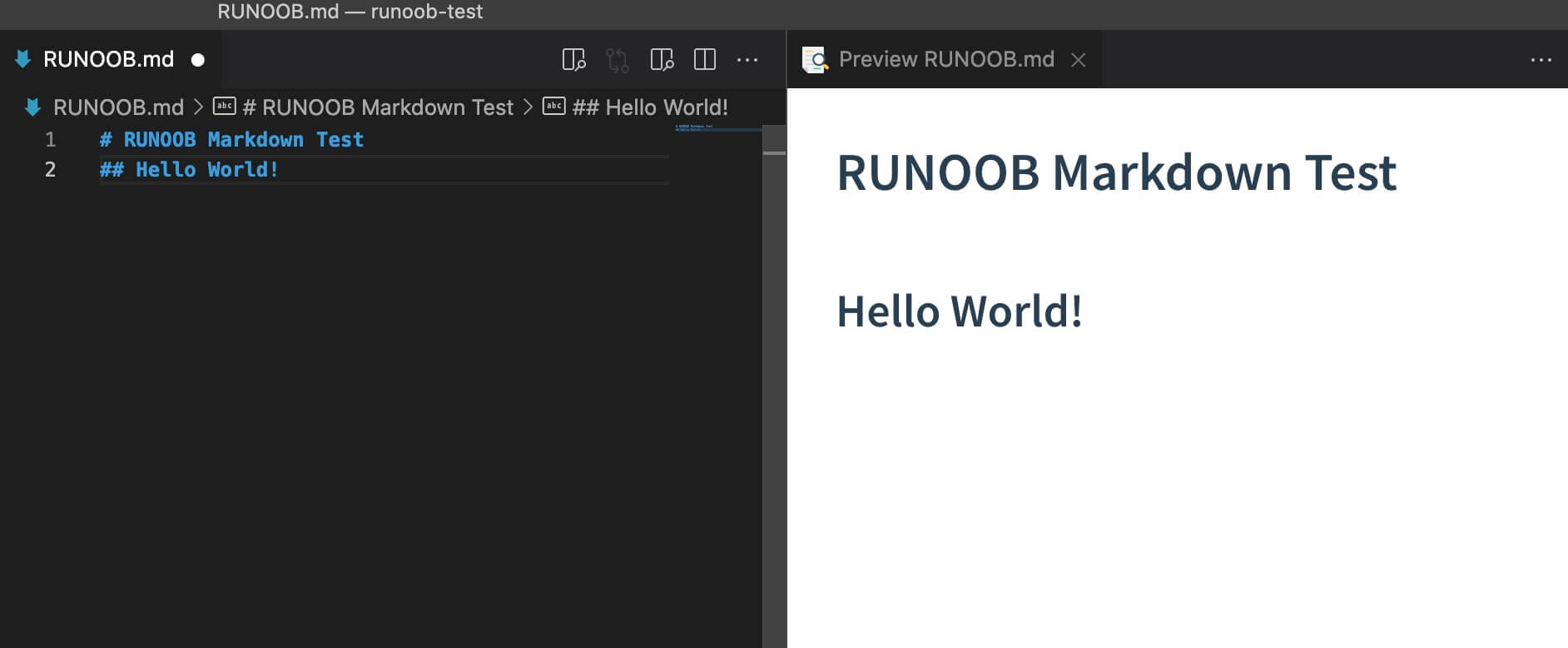
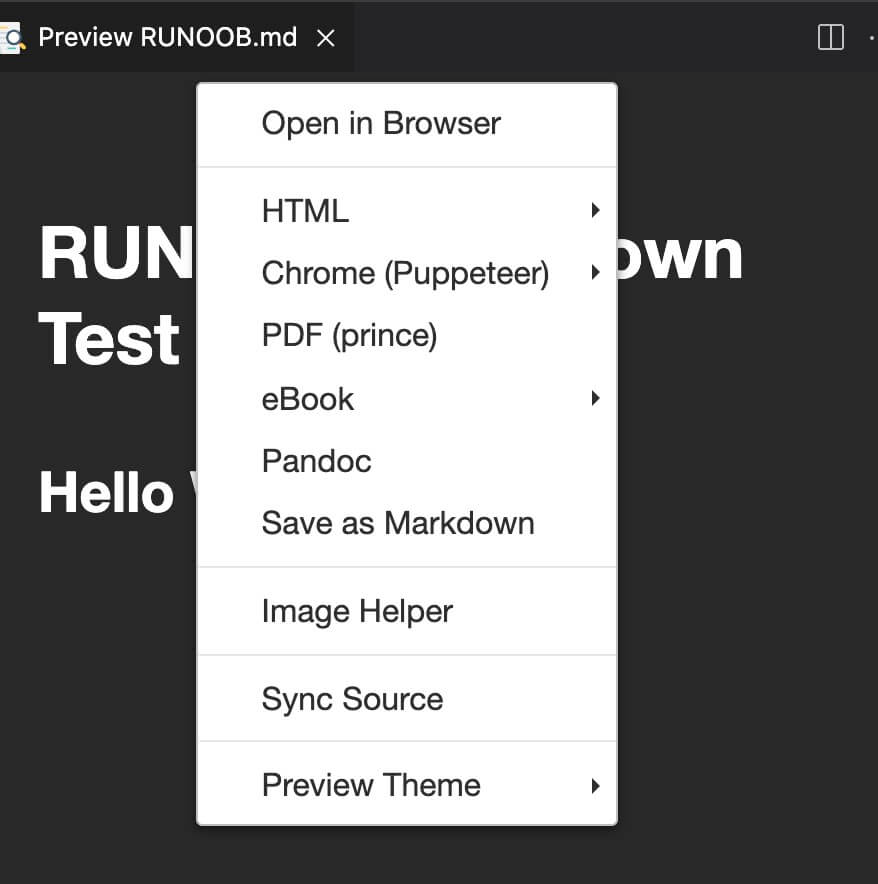
Markdown writes documents with the suffix .md, .markdown. Markdown can be used to write e-books, such as Gitbook. At present, many websites widely use Markdown to write help documents or to post messages on forums. For example: GitHub, brief book, reddit, Diaspora, Stack Exchange, OpenStreetMap, SourceForge and so on. This tutorial will use the VSCode editor to explain the syntax of Markdown. VSCode supports MacOS, Windows, Linux platforms, and includes a variety of topics. VSCode default set into the Markdown document editing plug-in, native support for highlighting Markdown syntax. VSCode (full name: Visual Studio Code) is a free source code editor developed by Microsoft and cross-platform. VScode 安装教程: https://www.runoob.com/w3cnote/vscode-tutorial.html VScode 官网地址: https://code.visualstudio.com/ The real-time preview of VSCode also needs to be implemented by executing the Markdown: Open Preview to the Side command. Enter the Markdown: Open Preview to the Side command in the command window: Final result: If you need to convert markdown to PDF, picture, HTML and other formats, you can also install the corresponding plug-ins to achieve. You can also use our online editor to test: https://c.runoob.com/front-end/712 . In the next test, we first install it under VSCode Markdown Preview Enhanced Plug-ins to achieve more powerful functions. Click the expand button in the right column to find Markdown Preview Enhanced Plug-in, click install: 安装完成后重启 VSCode。 Enter the following code in RUNOOB.md: Paste the code format into the file RUNOOB.md, and the effect is as follows: Right-clicking in the preview box also provides various export functions: The Great Markdown: 10.1.1. Markdown application 
10.1.2. Editor 
10.1.3. Test example 
# RUNOOB Markdown Test ## Hello World!
10.1.4. Useful books 