最近几年来,地理信息系统无论是在理论上还是应用上都处在一个飞速发展的阶段。 GIS被应用于多个领域的建模和决策支持,如城市管理、区划、环境整治等等,地理信息成为信息时代重要的组成部分之一; “数字地球”概念的提出,更进一步推动了作为其技术支撑的GIS的发展。 与此同时,一些学者致力于相关的理论研究,如空间感知、空间数据误差、空间关系的形式化等等。 这恰好说明了地理信息系统作为应用技术和学科的两个方面,并且这两个方面构成了相互促进的发展过程。
9.29.1. Brief introduction 
General-purpose applications are designed for iPhone and iPad in a single binary file. This helps code reuse and helps to update faster.
9.29.2. Instance step 
1、创建一个简单的View based application(视图应用程序)
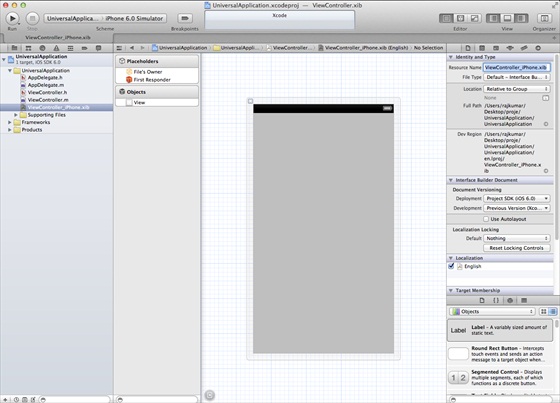
2、在文件查看器的右边,将文件ViewController.xib的文件名称更改为ViewController_iPhone.xib,如下所示
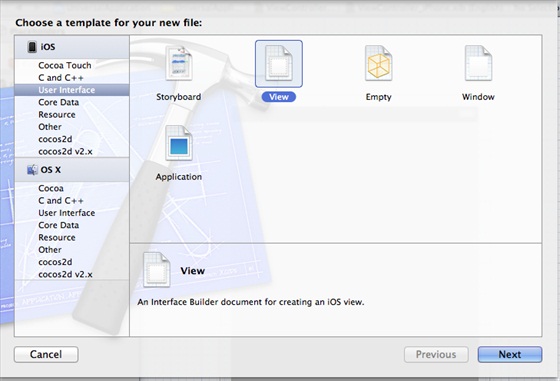
3、选择”File -> New -> File… “,然后选择User Interface,再选择View,单击下一步
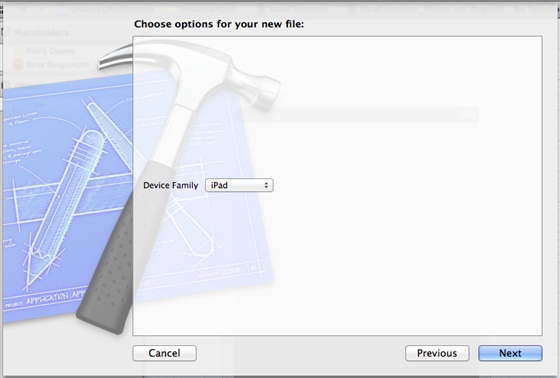
4、选择iPad作为设备,单击下一步:
5、将该文件另存为ViewController_iPad.xib,然后选择创建
6、在ViewController_iPhone.xib和ViewController_iPad.xibd的屏幕中心添加标签
7、在ViewController_iPhone.xib中选择identity inspector,设置custom class为ViewController
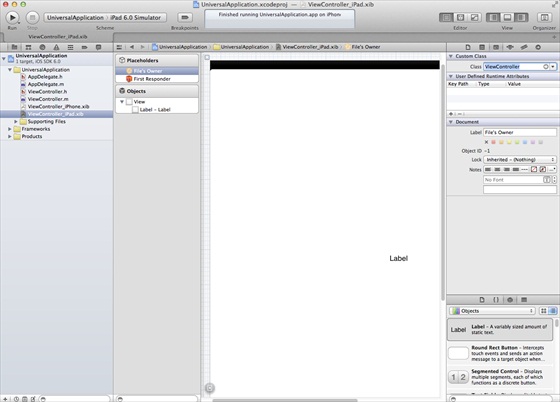
8、更新AppDelegate.m中的 application:DidFinishLaunching:withOptions方法
- (BOOL)application:(UIApplication *)application
  didFinishLaunchingWithOptions:(NSDictionary *)launchOptions
{
   self.window = [[UIWindow alloc] initWithFrame:[[UIScreen
   mainScreen] bounds]];
   // Override point for customization after application launch.
   if (UI_USER_INTERFACE_IDIOM() == UIUserInterfaceIdiomPhone) {
        self.viewController = [[ViewController alloc]
        initWithNibName:@"ViewController_iPhone" bundle:nil];
   }
   else{
        self.viewController = [[ViewController alloc] initWithNibName:
        @"ViewController_iPad" bundle:nil];
   }
   self.window.rootViewController = self.viewController;
   [self.window makeKeyAndVisible];
   return YES;
}
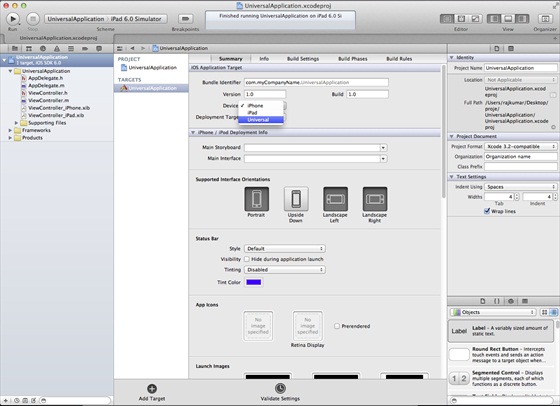
9、在项目摘要中更新设备中为universal,如下所示:
9.29.3. Output 
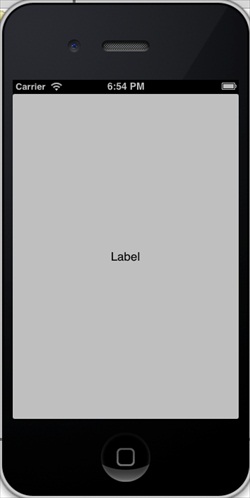
When we run the application, we will see the following output
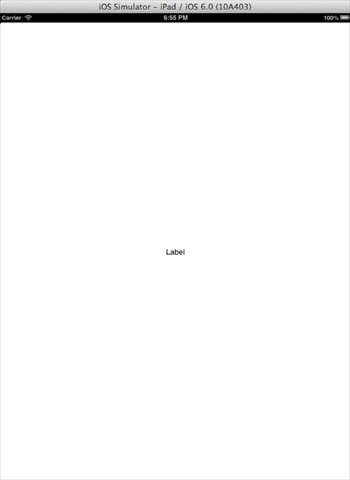
Running the application in the iPad simulator, we get the following output: