
Bootstrap 5 can easily implement an information prompt box.
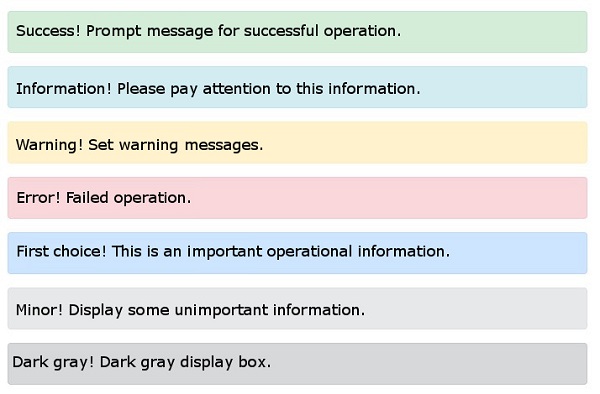
The prompt box can use the ‘. alert’ class, followed by Add to the label of the link in the prompt box We can click in the prompt box .alert-success , .alert-info , .alert- warning , .alert-danger , .alert-primary , .alert-secondary , .alert-light or .alert-dark classto implement: 7.10.1. Example 
Prompt box to add link 
alert-link class to set links that match the color of the prompt box: 7.10.2. Example 
Close the prompt box 
div add in .alert-dismissible class, and then add to the link on the close button class="btn-close" , data-dismiss="alert" class to set the closing operation of the promptbox. 7.10.3. Example 
Prompt box animation 
.fade and .show class is used to set the fade-out and fade-in effects of the prompt box when it is closed: 7.10.4. Example 
<div class="alert alert-danger alert-dismissible fade show">