最近几年来,地理信息系统无论是在理论上还是应用上都处在一个飞速发展的阶段。 GIS被应用于多个领域的建模和决策支持,如城市管理、区划、环境整治等等,地理信息成为信息时代重要的组成部分之一; “数字地球”概念的提出,更进一步推动了作为其技术支撑的GIS的发展。 与此同时,一些学者致力于相关的理论研究,如空间感知、空间数据误差、空间关系的形式化等等。 这恰好说明了地理信息系统作为应用技术和学科的两个方面,并且这两个方面构成了相互促进的发展过程。
In this chapter, we will introduce Django management tools and how to use Django to create a project. For the first project, we use HelloWorld to command the project.
Test version notes:
Python 3.7.4
Django 3.0.6
7.4.1. Django management tools 
After installing Django, you should now have an available administrative tool django-admin,Windows that can be used with django-admin if you don’t have an environment variable configured.
We can take a look at the command introduction of django-admin:
$ django-admin Type 'django-admin help ' for help on a specific subcommand. Available subcommands: [django] check compilemessages createcachetable dbshell diffsettings dumpdata flush inspectdb loaddata makemessages makemigrations migrate runserver sendtestemail shell showmigrations sqlflush sqlmigrate sqlsequencereset squashmigrations startapp startproject test testserver ……省略部分…… 7.4.2. Create the first project 
Use django-admin to create a HelloWorld project:
django-admin startproject HelloWorld
After the creation is complete, we can view the directory structure of the project below:
$ cd HelloWorld/ $ tree . |-- HelloWorld | |-- __init__.py | |-- asgi.py | |-- settings.py | |-- urls.py | `-- wsgi.py `-- manage.py
Catalog description:
-
HelloWorld: The container for the project.
-
manage.py: A practical command line tool that allows you to interact with the Django project in a variety of ways.
-
HelloWorld/__init__.py: An empty file that tells Python that the directory is a Python package.
-
HelloWorld/asgi.py: A portal to an ASGI-compatible Web server to run your project.
-
HelloWorld/settings.py: The settings / configuration of the Django project.
-
HelloWorld/urls.py: The URL statement of the Django project; a website “directory” driven by Django.
-
HelloWorld/wsgi.py: A portal to a WSGI-compatible Web server to run your project.
Next, let’s enter the HelloWorld directory and enter the following command to start the server:
python3 manage.py runserver 0.0.0.0:8000
0.0.0.0 allows other computers to connect to the development server, with 8000 as the port number. If not, the port number defaults to 8000.
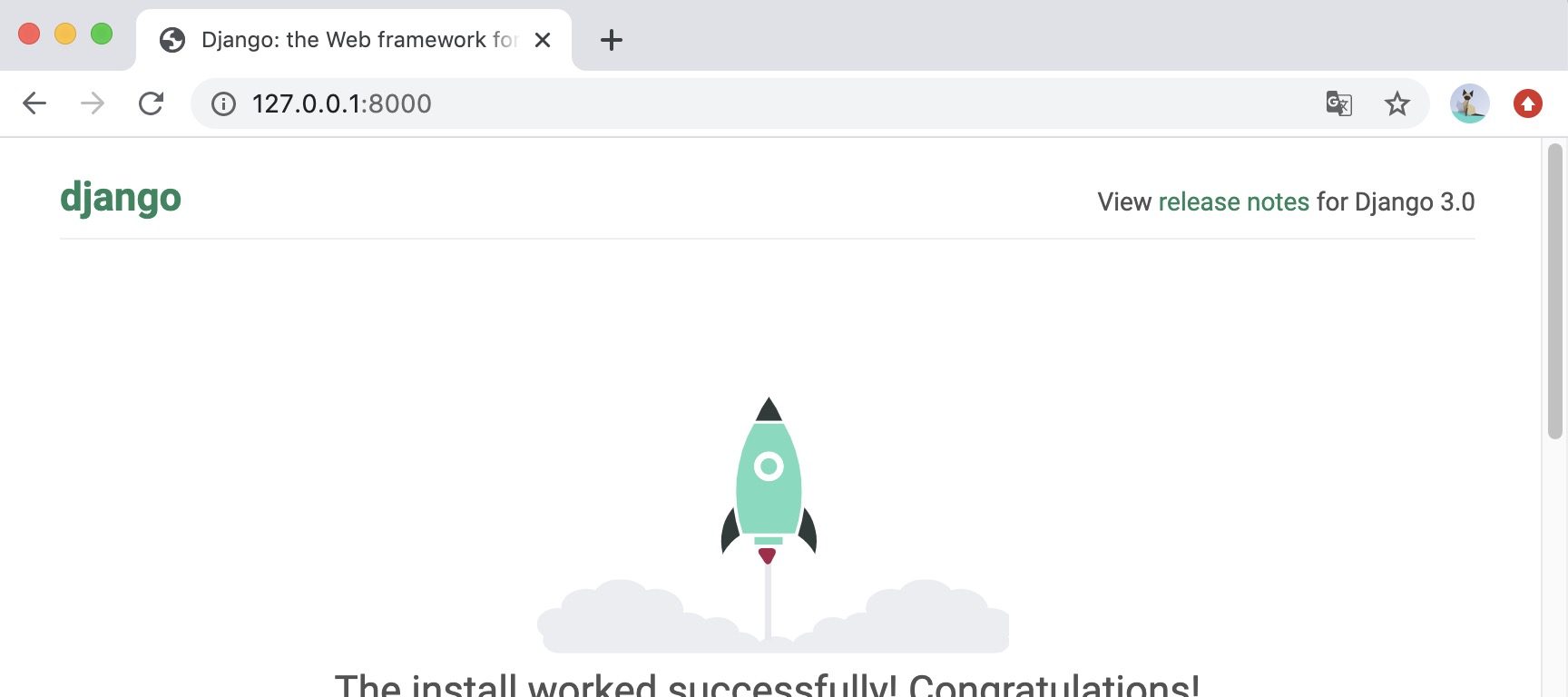
Enter the ip of your server in the browser (here we enter the local IP address: 127.0.0.1:8000 ) and port number. If it starts normally, the output result is as follows:
7.4.3. View and URL configuration 
Create a new views.py file in the HelloWorld directory under the previously created HelloWorld directory, and enter the code:
HelloWorld/HelloWorld/views.py file code: 
fromdjango.httpimportHttpResponsedefhello(request):returnHttpResponse("Hello world !") Next, bind the URL to the view function. Open the urls.py file, delete the original code, and copy and paste the following code into the urls.py file:
HelloWorld/HelloWorld/urls.py file code: 
fromdjango.conf.urlsimporturlfrom.importviewsurlpatterns=[url(r'^$',views.hello),]
The whole directory structure is as follows:
$ tree . |-- HelloWorld | |-- __init__.py | |-- __init__.pyc | |-- settings.py | |-- settings.pyc | |-- urls.py # url 配置 | |-- urls.pyc | |-- views.py # 添加的视图文件 | |-- views.pyc # 编译后的视图文件 | |-- wsgi.py | `-- wsgi.pyc `-- manage.py
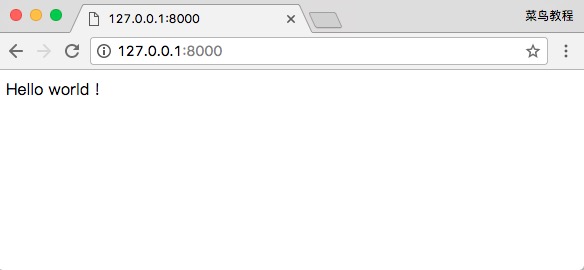
When you are finished, start the Django development server, and open the browser in the browser and visit:
We can also modify the following rules:
HelloWorld/HelloWorld/urls.py file code: 
fromdjango.urlsimportpathfrom.importviewsurlpatterns=[path('hello/',views.hello),]
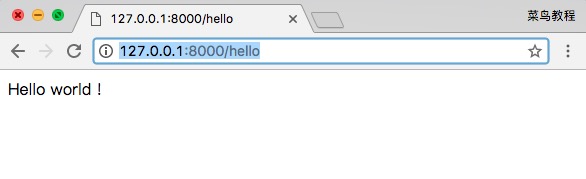
Open it through a browser http://127.0.0.1:8000/hello The output is as follows:
注意: If the code changes in the project, the server will automatically monitor the code changes and reload automatically, so if you have started the server, you do not need to restart manually.
7.4.4. Path () function 
Django path () can accept four parameters, two required parameters: route, view, and two optional parameters: kwargs, name.
Syntax format:
path(route, view, kwargs=None, name=None)
-
Route: a string that represents the URL rule, and the matching URL executes the corresponding second parameter, view.
-
View: used to execute URL requests that match regular expressions.
-
Kwargs: the parameter of the dictionary type used by the view.
-
Name: used to get URL in reverse.
Django2. The re_path () method can be used in 0 to be compatible with the url() Method, some regular expression rules can also be implemented through re_path ().
from django.urls import include, re_path urlpatterns = [ re_path(r'^index/$', views.index, name='index'), re_path(r'^bio/(?P\w+)/$', views.bio, name='bio'), re_path(r'^weblog/', include('blog.urls')), ... ]
-
1. Angularjs2
8
-
1. SVG tutorial
19
-
1. Memcached
20
-
1. C# tutorial
61
-
1. Sqlite
47
-
2. Go
43
-
2. Docker
59
-
2. Vue3
19
-
2. Servlet
21
-
3. React
23
-
3. SOAP tutorial
10
-
3. Android
18
-
3. Mongodb
44
-
3. Kotlin
18
-
4. Lua
31
-
4. MySQL tutorial
35
-
4. Appml
12
-
5. Perl
45
-
5. Postgresql
41
-
web
15
-
5. Web Services tutorial
6
-
6. Ruby
42
-
6. Design-pattern
35
-
7. Django
18
-
7.17. Django middleware
-
7.14. Django Form component
-
7.5. Django template
-
7.7. Django form
-
7.13. Django ORM-multiple table instances (aggregation and grouping queries)
-
7.16. Django cookie and session
-
7.19. Django Nginx+uwsgi installation configuration
-
7.15. Django user Authentication (Auth) component
-
7.8. Django view
-
7.18. Django View-FBV and CBV
-
7. Rust
22
-
6. WSDL tutorial
8
-
8. Foundation
39
-
9. Ios
43
-
8. Css3
26
-
9. Swift
44
-
11. HTML tutorial-(HTML5 Standard)
54
-
12. Http
6
-
13. Regex
6
-
14. Regexp
8
-
1. Introduction to geographic information system
6
-
2. From the Real World to the Bit World
3
-
3. Spatial Data Model
7
-
4. 空间参照系统和 地图投影
5
-
5. Data in GIS
3
-
6. Spatial data acquisition
2
-
7. Spatial Data Management
6
-
8. Spatial analysis
8
-
9. 数字地形模型( DTM )与地形分析
5
-
10. 空间建模与 空间决策支持
6
-
11. Spatial data representation and map making
6
-
12. 3S Integration Technology
5
-
13. 网络地理信息系统
3
-
14. Examples of Geographic Information System Application
8
-
15. Organization and Management of Geographic Information System Application Projects
9
-
16. Geographic Information system Software Engineering Technology
6
-
17. Geographic Information System Standards
3
-
18. Geographic Information System and Society
3
-
19. Earth Information Science and Digital Earth
3