
The basic implementation of list fragmentation is to create a project list in the fragment
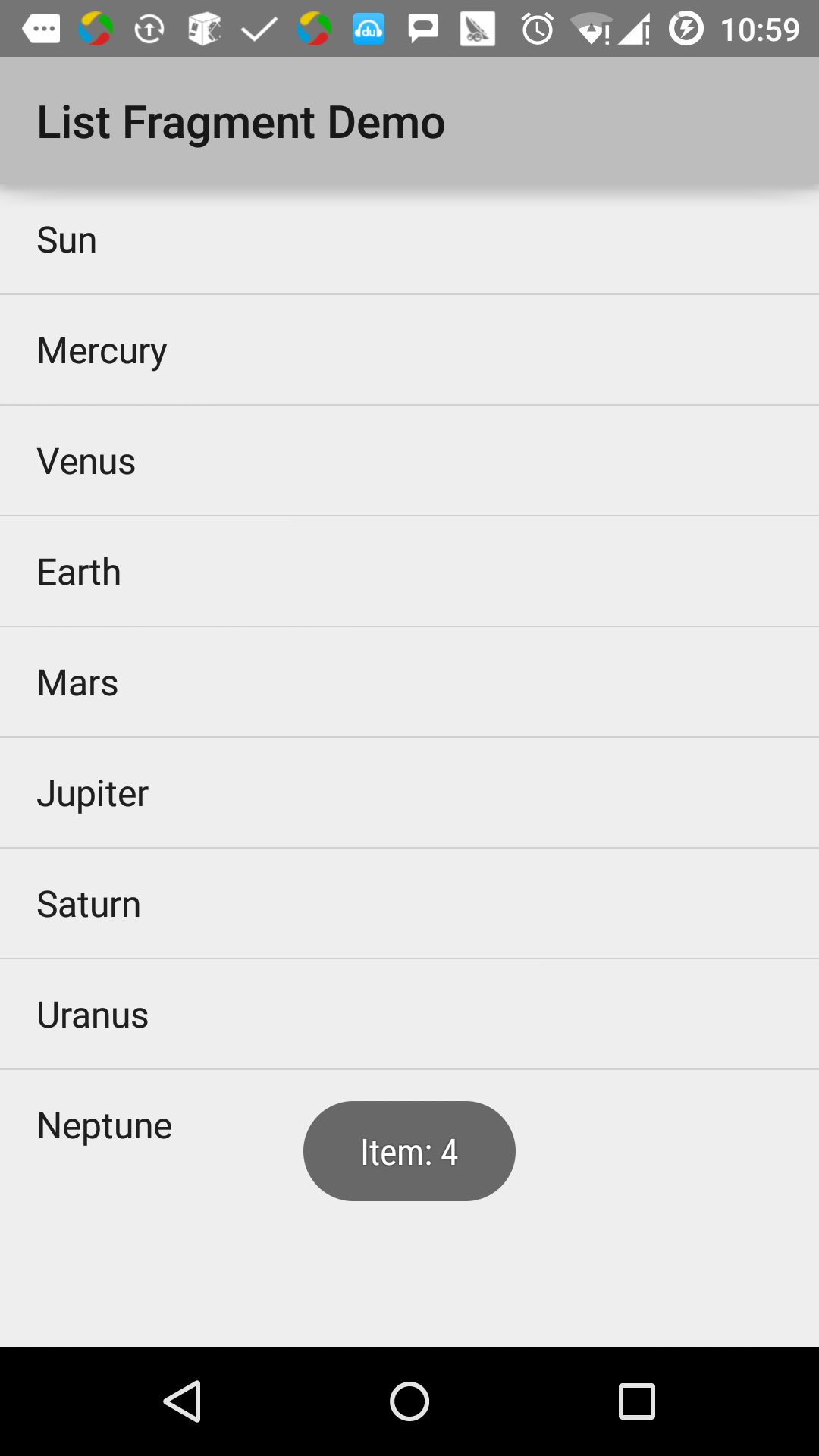
This example explains how to create list fragments based on ArrayAdapter. Let’s start with the following steps: Steps Description 1 Create an Android application using Android Studio, named List Fragment, and package name cn.uprogrammer.listfragment 2 Modify the string file to add a new string constant to res/values/string.xml 3 Create a layout file named list_fragment.xml under res/layout to define list fragments and add? Label 4 Create a MyListFragment.java file that contains onCreateView (), onActivityCreated (), and OnItemClickListener (). 5 Start the Android emulator to run the application and verify the results of the application’s changes. 在开始编码前,在 以下是 以下是 以下是 创建 在 在 在 以下代码是 以下是 Let’s run the List Fragment application that we just modified. I assume that you have created AVD when you installed the environment. Open the active file in your project and click the icon in the toolbar to run the application in Android Studio. Android Studio installs the application on AVD and starts it. If all goes well, it will be displayed on the simulator window as follows:
In recent years, Geographic Information Systems (GIS) have undergone rapid development in both theoretical and practical dimensions. GIS has been widely applied for modeling and decision-making support across various fields such as urban management, regional planning, and environmental remediation, establishing geographic information as a vital component of the information era. The introduction of the “Digital Earth” concept has further accelerated the advancement of GIS, which serves as its technical foundation. Concurrently, scholars have been dedicated to theoretical research in areas like spatial cognition, spatial data uncertainty, and the formalization of spatial relationships. This reflects the dual nature of GIS as both an applied technology and an academic discipline, with the two aspects forming a mutually reinforcing cycle of progress. 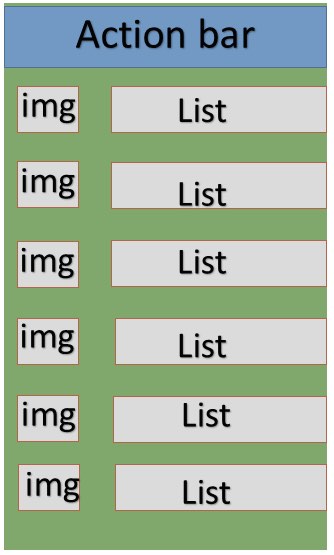
3.16.1. Example 
res/values 目录下的 string.xml 中初始化字符串常量。
res/layout/activity_main.xml 文件的内容,其中包含线性布局和碎片标签。
res/layout/list_fragment.xml 文件的内容,其中包含线性布局,列表视图 和 TextView 。
src/cn.uprogrammer.listfragment/MyListFragment.java 文件的内容。在开始编码之前,需要按照如下的几个步骤:
MyListFragment 类,继承自 ListFragment 。 onCreateView() 方法内,使用上面定义的 list_fragment xml 布局来填充视图。 onActivityCreated() 方法内, 使用 在 string.xml 中定义的字符串数组 R.array.planet 资源来创建一个 ArrayAdapter ,并将适配器设置到列表视图,并设置列表项的点击监听器 OnItemClickListener() 方法内,以土司消息的方式来显示被点击项的位置 package cn.uprogrammer.listfragment;
import android.app.ListFragment;
import android.annotation.SuppressLint;
import android.app.ListFragment;
import android.os.Bundle;
import android.view.LayoutInflater;
import android.view.View;
import android.view.ViewGroup;
import android.widget.AdapterView;
import android.widget.AdapterView.OnItemClickListener;
import android.widget.ArrayAdapter;
import android.widget.Toast;
public class MyListFragment extends ListFragment implements OnItemClickListener {
@Override
public View onCreateView(LayoutInflater inflater, ViewGroup container, Bundle savedInstanceState) {
View view = inflater.inflate(R.layout.list_fragment, container, false);
return view;
}
@Override
public void onActivityCreated(Bundle savedInstanceState) {
super.onActivityCreated(savedInstanceState);
ArrayAdapter adapter = ArrayAdapter.createFromResource(getActivity(), R.array.Planets, android.R.layout.simple_list_item_1);
setListAdapter(adapter);
getListView().setOnItemClickListener(this);
}
@Override
public void onItemClick(AdapterView parent, View view, int position,long id) {
Toast.makeText(getActivity(), "Item: " + position, Toast.LENGTH_SHORT).show();
}
}
MainActivity.java 的内容: package cn.uprogrammer.listfragment;
import android.app.Activity;
import android.os.Bundle;
public class MainActivity extends Activity {
@Override
protected void onCreate(Bundle savedInstanceState) {
super.onCreate(savedInstanceState);
setContentView(R.layout.activity_main);
}
}
AndroidManifest.xml 文件的内容:
Principles, Technologies, and Methods of Geographic Information Systems
102