最近几年来,地理信息系统无论是在理论上还是应用上都处在一个飞速发展的阶段。 GIS被应用于多个领域的建模和决策支持,如城市管理、区划、环境整治等等,地理信息成为信息时代重要的组成部分之一; “数字地球”概念的提出,更进一步推动了作为其技术支撑的GIS的发展。 与此同时,一些学者致力于相关的理论研究,如空间感知、空间数据误差、空间关系的形式化等等。 这恰好说明了地理信息系统作为应用技术和学科的两个方面,并且这两个方面构成了相互促进的发展过程。
7.13.1. Aggregate query (aggregate) 
Aggregate query functions perform calculations on a set of values and return a single value.
Django needs to introduce Avg, Max, Min, Count, Sum (uppercase initials) from django.db.models before using aggregate queries.
from django.db.models import Avg,Max,Min,Count,Sum # 引入函数 The data type of the return value of the aggregate query is a dictionary.
The aggregate function aggregate () is a termination clause of QuerySet that generates a summary value equivalent to count ().
After using aggregate (), the data type becomes a dictionary, and some API of the QuerySet data type can no longer be used.
Date data types (DateField) can be used with Max and Min.
返回的字典中:键的名称默认是(属性名称加上__聚合函数名),值是计算出来的聚合值。
If you want to customize the name of the key that returns the dictionary, you can give it an alias:
aggregate(别名 = 聚合函数名("属性名称")) Calculate the average price of all books: Calculate the number, most expensive and cheapest prices of all books:Example 
from django.db.models import Avg,Max,Min,Count,Sum # 引入函数 ... res = models.Book.objects.aggregate(Avg("price")) print(res, type(res)) ...
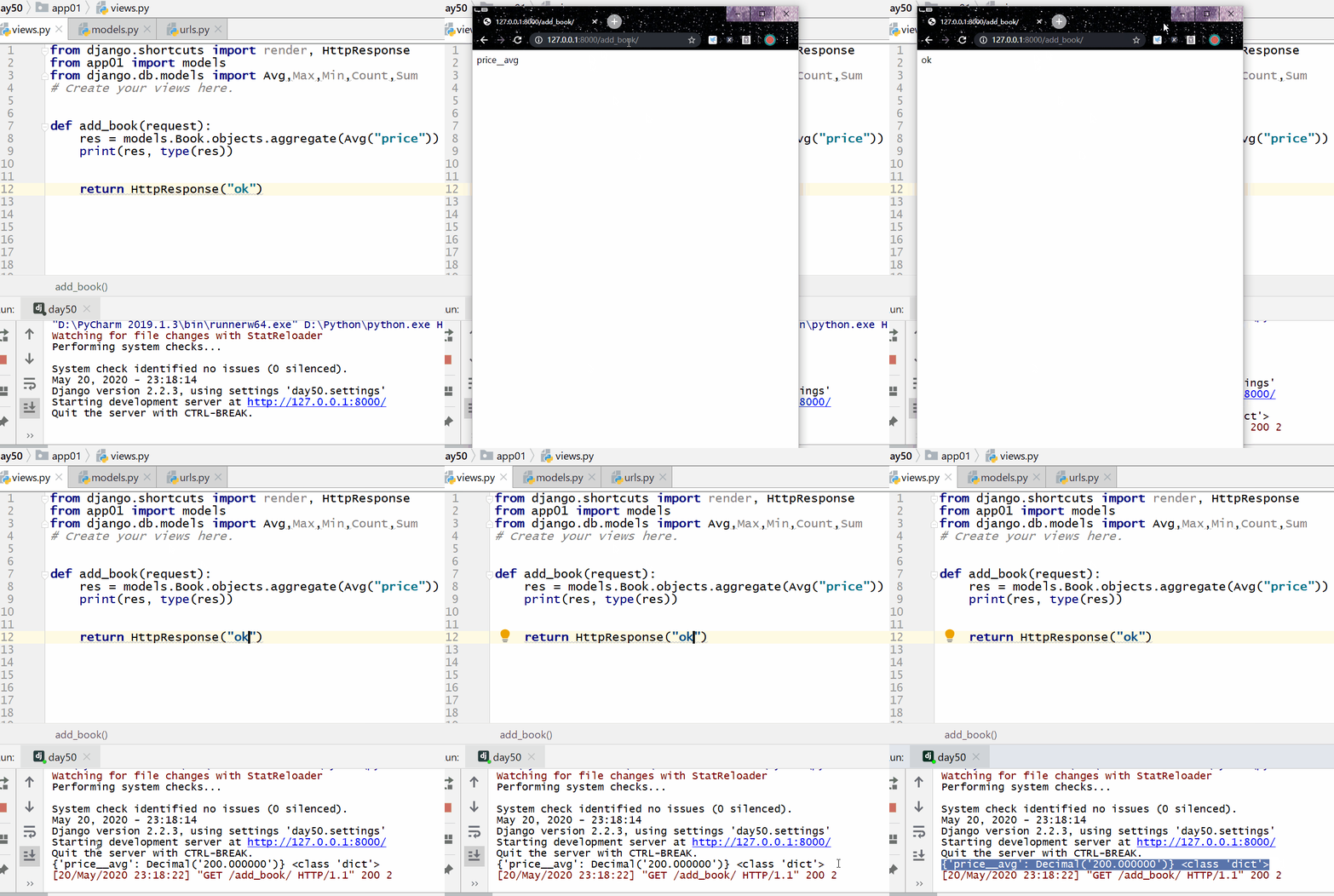
7.13.2. Example 
Res=models.Book.objects.aggregate (c=Count (“id”), max=Max (“price”), min=Min (“price”) print (res,type (res))
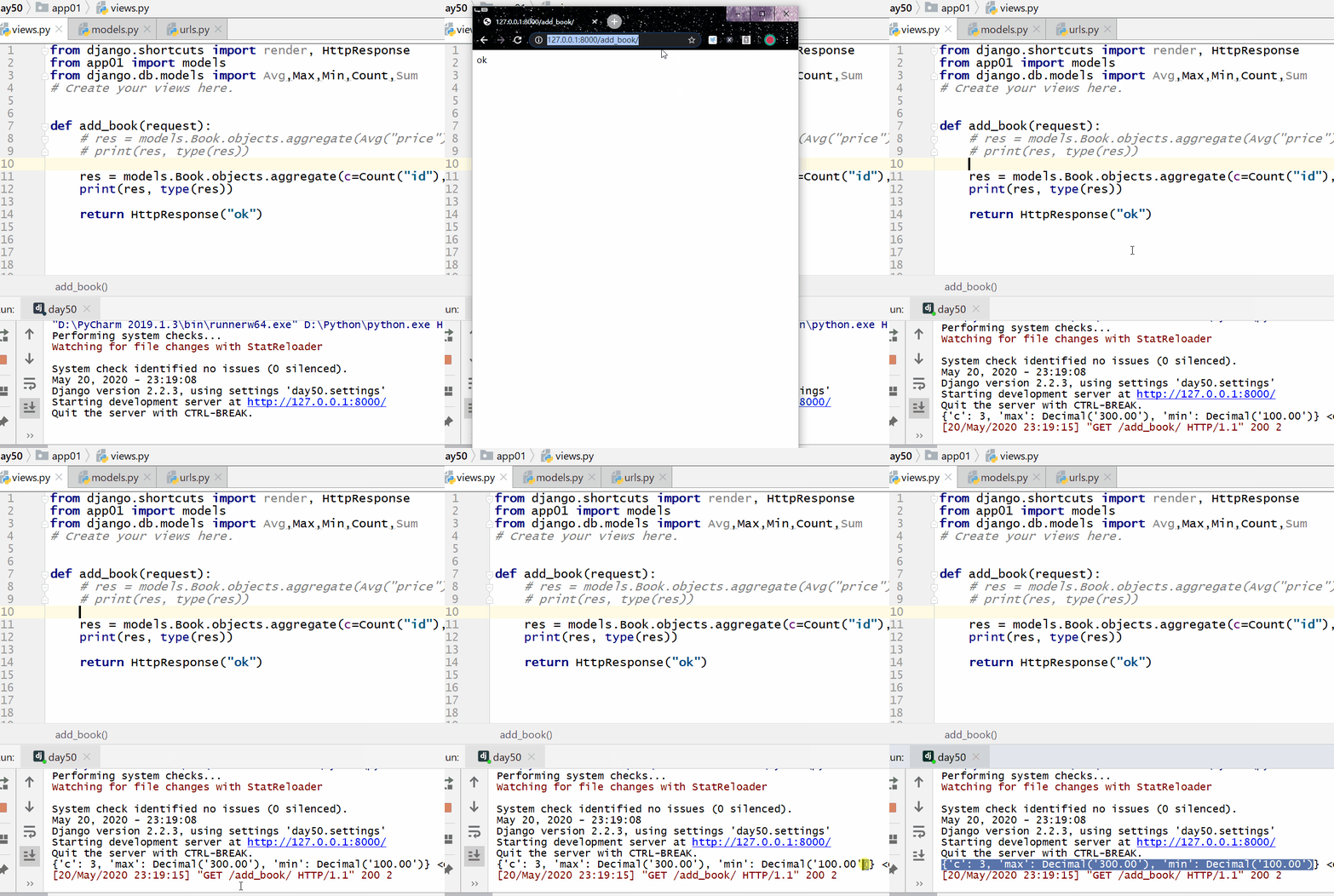
7.13.3. Group query (annotate) 
Aggregate functions are generally used in grouping queries, so introduce Avg,Max,Min,Count,Sum (uppercase initials) from django.db.models before using it.
from django.db.models import Avg,Max,Min,Count,Sum # 引入函数 返回值:
After grouping, the value is taken with values, and the return value is a dictionary in the QuerySet data type.
After grouping, use values_list to take the value, then the return value is a tuple in the QuerySet data type.
The limit in MySQL is equivalent to a slice of the QuerySet data type in ORM.
注意:
Aggregate functions are included in annotate.
values 或者 values_list 放在 annotate 前面: Values or values_list declares what fields to group, and annotate performs the grouping.
values 或者 values_list 放在annotate后面: Annotate indicates grouping directly based on the competition of the current table, and values or values_list indicates which fields to query, and aliases the aggregate function in annotate and writes its alias in values or values_list.
7.13.4. Prepare data and create models 
models.py 
class Emp(models.Model): name = models.CharField(max_length=32) age = models.IntegerField() salary = models.DecimalField(max_digits=8, decimal_places=2) dep = models.CharField(max_length=32) province = models.CharField(max_length=32) class Emps(models.Model): name = models.CharField(max_length=32) age = models.IntegerField() salary = models.DecimalField(max_digits=8, decimal_places=2) dep = models.ForeignKey("Dep", on_delete=models.CASCADE) province = models.CharField(max_length=32) class Dep(models.Model): title = models.CharField(max_length=32) Data:
Execute from the MySQL command line: 
INSERTINTO\`app01_emp\`(\`id\`,\`name\`,\`age\`,\`salary\`,\`dep\`,\`province\`)VALUES('1','令狐冲','24','6000.00','销售部','河南');INSERTINTO\`app01_emp\`(\`id\`,\`name\`,\`age\`,\`salary\`,\`dep\`,\`province\`)VALUES('2','任盈盈','18','8000.00','关公部','广东');INSERTINTO\`app01_emp\`(\`id\`,\`name\`,\`age\`,\`salary\`,\`dep\`,\`province\`)VALUES('3','任我行','56','10000.00','销售部','广东');INSERTINTO\`app01_emp\`(\`id\`,\`name\`,\`age\`,\`salary\`,\`dep\`,\`province\`)VALUES('4','岳灵珊','19','6000.00','关公部','河南');INSERTINTO\`app01_emp\`(\`id\`,\`name\`,\`age\`,\`salary\`,\`dep\`,\`province\`)VALUES('5','小龙女','20','8000.00','关公部','河北');INSERTINTO\`app01_dep\`(\`id\`,\`title\`)VALUES('1','销售部');INSERTINTO\`app01_dep\`(\`id\`,\`title\`)VALUES('2','关公部');INSERTINTO\`app01_emps\`(\`id\`,\`name\`,\`age\`,\`salary\`,\`province\`,\`dep_id\`)VALUES('2','令狐冲','24','8000.00','河南','1');INSERTINTO\`app01_emps\`(\`id\`,\`name\`,\`age\`,\`salary\`,\`province\`,\`dep_id\`)VALUES('3','任盈盈','18','9000.00','广东','2');INSERTINTO\`app01_emps\`(\`id\`,\`name\`,\`age\`,\`salary\`,\`province\`,\`dep_id\`)VALUES('4','任我行','57','10000.00','广东','1');INSERTINTO\`app01_emps\`(\`id\`,\`name\`,\`age\`,\`salary\`,\`province\`,\`dep_id\`)VALUES('5','岳灵珊','19','6000.00','河南','2');INSERTINTO\`app01_emps\`(\`id\`,\`name\`,\`age\`,\`salary\`,\`province\`,\`dep_id\`)VALUES('6','小龙女','20','8000.00','河北','2'); Count the prices of the cheapest books in each publisher:
Example 
res = models.Publish.objects.values("name").annotate(in_price = Min("book__price")) print(res) The following output can be seen on the command line:
<QuerySet [{'name': '菜鸟出版社', 'in_price': Decimal('100.00')}, {'name': '明教出版社', 'in_price': Decimal('300.00')}]> 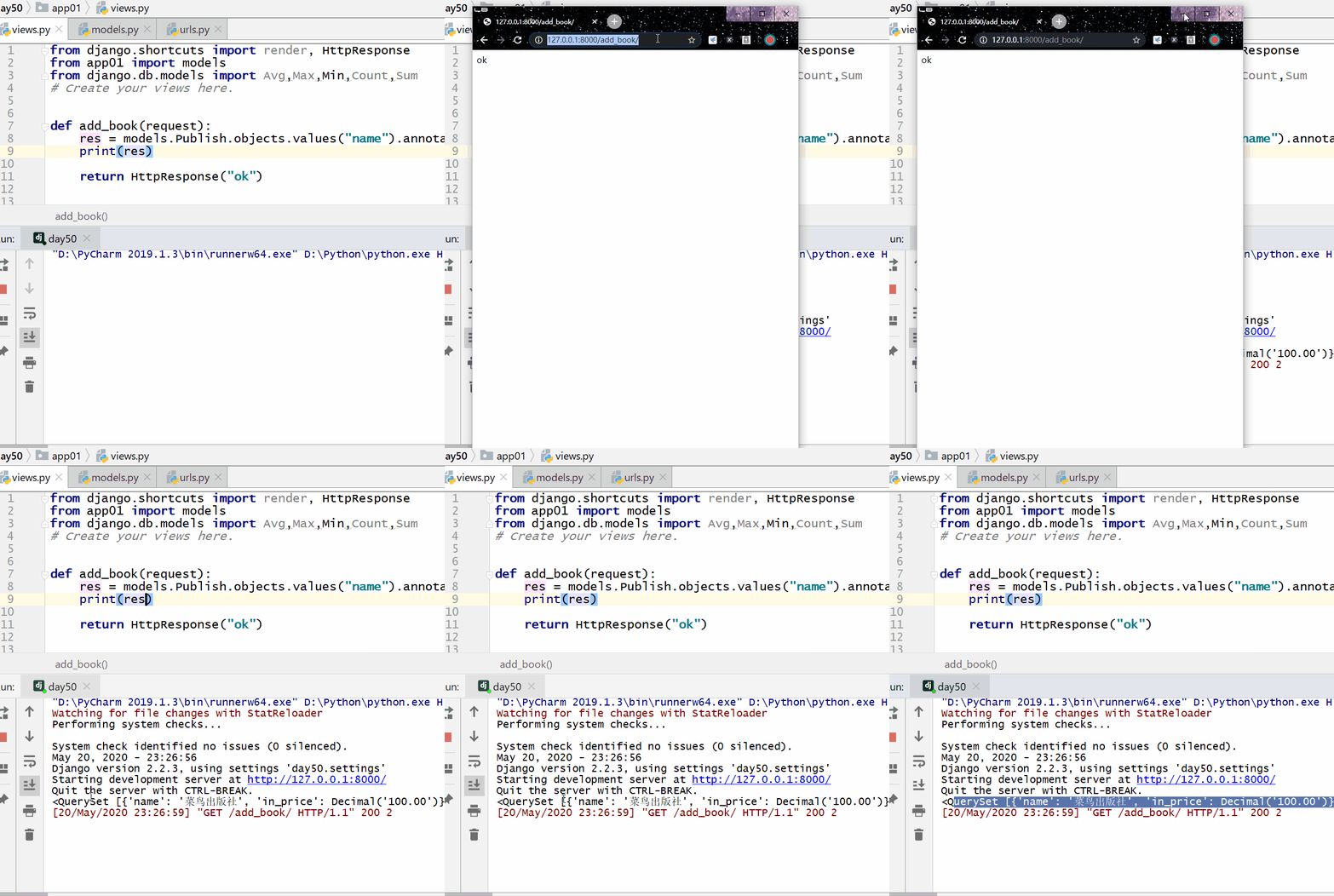
Count the number of authors of each book:
Example 
res = models.Book.objects.annotate(c = Count("authors__name")).values("title","c") print(res) The following output can be seen on the command line: