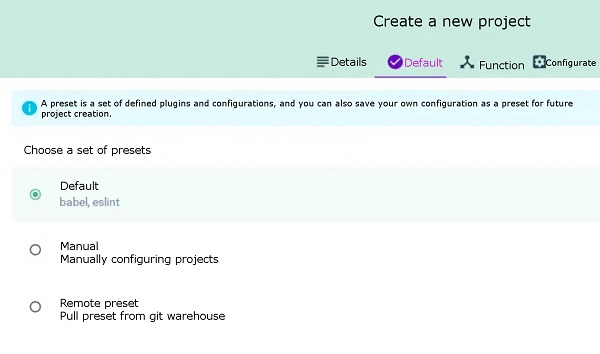
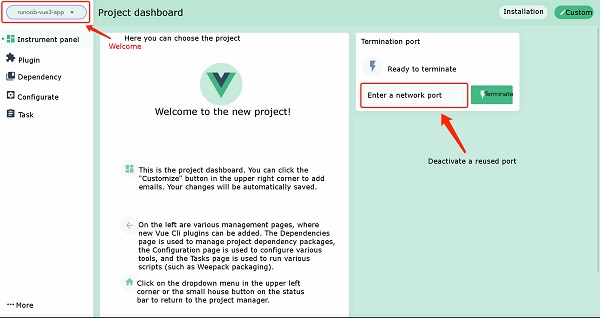
In the previous chapter of Vue3 installation, we used the Vue The syntax format for creating a project with the Vue Create a file created by the The options option can be: Next, we create Executing the above command will bring up the installation options interface: Press the enter key to enter the installation and wait for a moment to complete the installation. After the installation is complete, we enter the project directory: cd runoob-vue3-app2 Launch application: Then open http://localhost:8080/ , and you can see the application interface: In addition to using the Vue Run the command: Execute the above command and a project management interface pops up in the browser: We can click the “create” option to create a project, select “create Project here” at the bottom, and select a path at the top of the page: Then enter our project name, select the package management tool as You can choose the configuration by default: Then wait for the installation to be completed, and the administrative interface for the installation is as follows: In recent years, Geographic Information Systems (GIS) have undergone rapid development in both theoretical and practical dimensions. GIS has been widely applied for modeling and decision-making support across various fields such as urban management, regional planning, and environmental remediation, establishing geographic information as a vital component of the information era. The introduction of the “Digital Earth” concept has further accelerated the advancement of GIS, which serves as its technical foundation. Concurrently, scholars have been dedicated to theoretical research in areas like spatial cognition, spatial data uncertainty, and the formalization of spatial relationships. This reflects the dual nature of GIS as both an applied technology and an academic discipline, with the two aspects forming a mutually reinforcing cycle of progress. init command to create a project. In this chapter, we mainly introduce the Vue create command to create a project and the use of the Vue ui command to open a graphical installation interface. 2.4.1. Vue
create command ¶ create command is as follows:vue create [options] <app-name>
vue-cli-service new projects to support: -p, --preset
-d,
--default
:Ignore prompts and use default preset options
-i,
--inlinePreset
-m,
--packageManager
npm
Client
-r,
--registry
npm
registry
-g,
--git
[message]
:Force / skip git initialization and optionally specify initialization submission information
-n,
--no-git
:Skip git initialization
-f,
--force
:Overwrite the possible configuration of the target directory
-c,
--clone
: Use git clone to obtain remote preset options
-x,
--proxy
:Create a project using the specified agent
-b,
--bare
:Omit the novice guidance information in the default component when creating a project
-h,
--help
:Output usage help information
runoob-vue3-app
project:vue create runoob-vue3-app
Vue CLI v4.4.6
? Please pick a preset: (Use arrow keys)
❯ default (babel, eslint)
Manually select features
npm run serve
2.4.2. Vue ui command 
create command to create projects, we can also use visual creation tools to create projects.$ vue ui
🚀 Starting GUI...
🌠 Ready on http://localhost:8000
...
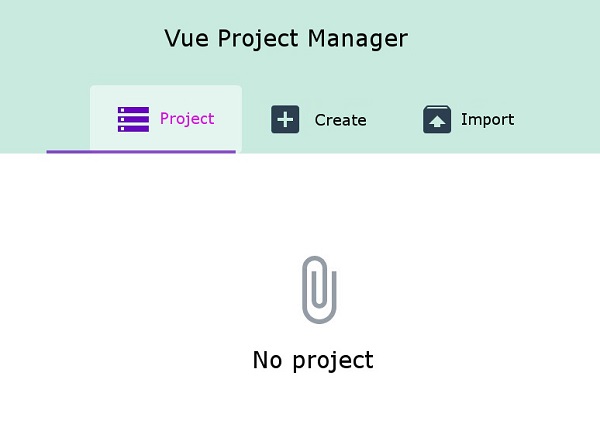
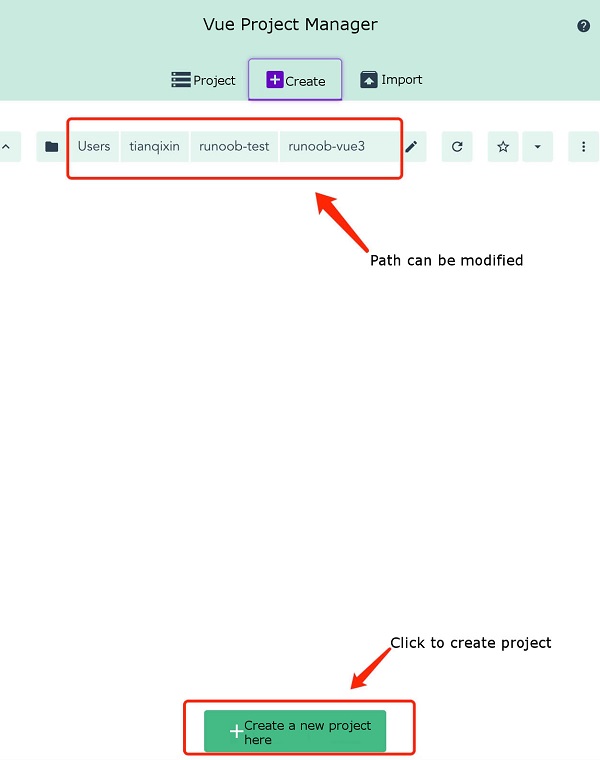
npm , and click Next: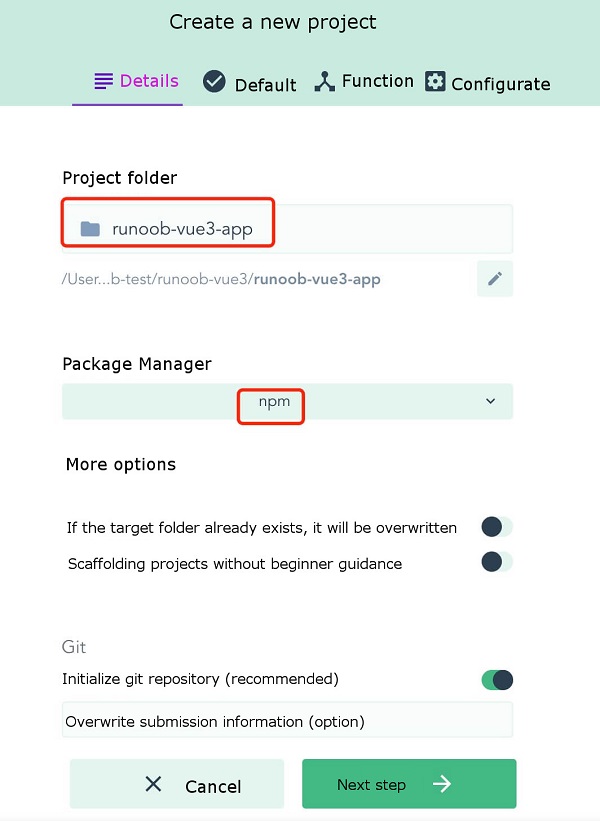
Principles, Technologies, and Methods of Geographic Information Systems
102
