最近几年来,地理信息系统无论是在理论上还是应用上都处在一个飞速发展的阶段。 GIS被应用于多个领域的建模和决策支持,如城市管理、区划、环境整治等等,地理信息成为信息时代重要的组成部分之一; “数字地球”概念的提出,更进一步推动了作为其技术支撑的GIS的发展。 与此同时,一些学者致力于相关的理论研究,如空间感知、空间数据误差、空间关系的形式化等等。 这恰好说明了地理信息系统作为应用技术和学科的两个方面,并且这两个方面构成了相互促进的发展过程。
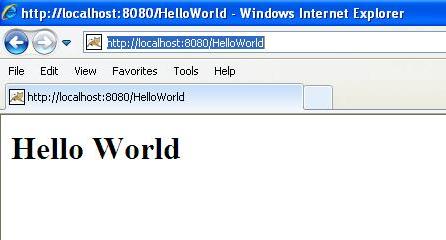
Servlet is the service HTTP request and implementation The following is a sample source code for the Servlet output Hello World: Let’s write the above code in Assuming that your environment has been set up correctly, enter If Servlet depends on any other libraries, you must use the This command line uses the javac compiler built into the Sun Microsystems Java Software Development Kit (JDK). To make the command work properly If all goes well, the above compilation will be generated in the same directory By default, Servlet applications are located in the path < Tomcat-installation-directory > / webapps/ROOT, and class files are placed in < Tomcat-installation-directory > / webapps/ROOT/WEB-INF/classes. If you have a fully qualified class name Now, let’s put The above entry is to be created in the At this point, you are basically done, now let’s use javax.servlet.Servlet the Java class of the interface. Web application developers usually write Servlet to extend the javax.servlet.http.HttpServlet and an abstract class that implements theServlet interface is specifically used to handle HTTP requests. 2.5.1. Hello World sample code 
// Import necessary Java libraries import java.io.*; import javax.servlet.*; import javax.servlet.http.*; // Extend HttpServlet Class public class HelloWorld extends HttpServlet { private String message; public void init() throws ServletException { // Perform necessary initialization message = "Hello World"; } public void doGet(HttpServletRequest request, HttpServletResponse response) throws ServletException, IOException { // Set response content type response.setContentType("text/html"); // The actual logic is here PrintWriter out = response.getWriter(); out.println("
" + message + ""); } public void destroy() { // Nothing } }
2.5.2. Compile Servlet 
HelloWorld.java in the file, put the fileon C:ServletDevel (on Windows) or /usr/ServletDevel on UNIX, you also need to add these directories to the CLASSPATH . ServletDevel directory and compile HelloWorld.java , as follows: $ javac HelloWorld.java
CLASSPATH Contains those JAR files. Here, I only include servlet-api.jar the JAR file, because I didn’t use any other libraries in the Hello World program. PATH the environment variable needs to set the path to the Java SDK. HelloWorld.class files. The next section explains how compiled Servlet is deployed in production. 2.5.3. Servlet deployment 
com.myorg.MyServlet , then the Servlet class must be located in WEB-INF/classes/com/myorg/MyServlet.class . HelloWorld.class copy to < Tomcat-installation-directory > / webapps/ROOT/WEB-INF/classes, and in the < Tomcat-installation-directory > / webapps/ROOT/WEB-INF/ web.xml create the following entries in the file: <web-app> <servlet> <servlet-name>HelloWorldservlet-name> <servlet-class>HelloWorldservlet-class> servlet> <servlet-mapping> <servlet-name>HelloWorldservlet-name> <url-pattern>/HelloWorldurl-pattern> servlet-mapping> web-app>
web.xml in the file inside the label. There may already be various entries available in this file, but don’t worry about it.